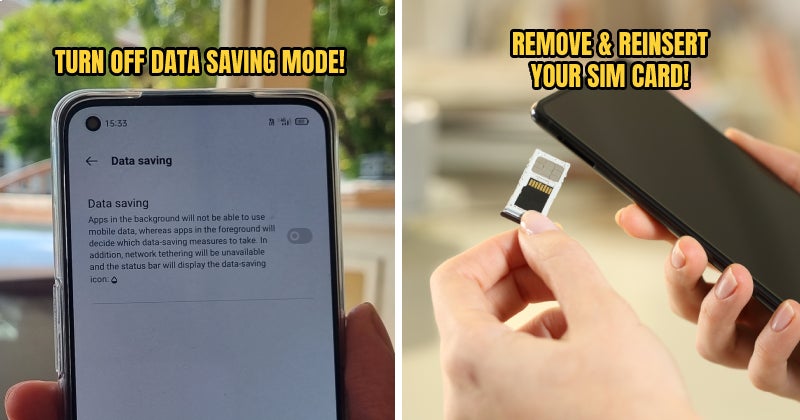
A slow mobile internet connection can be a thorn in every Malaysian’s side. Whether you’re watching a funny TikTok video or just trying to Google information, a bad mobile connection can be unspeakably frustrating.
But before you start blurting out expletives and smashing your phone out of anger, We implore you to try and fix your connection with some of these surprisingly easy hacks you’ve probably never thought of before!
1. Update and disable network-heavy apps regularly

Sometimes, all it takes to cause mobile data issues is one pesky app in your phone that hoards your data connection and leaves a lot less bandwidth for your other apps. To see if this is the case, try looking into the list of apps on your phone to identify and disable whichever app(s) is hogging your bandwidth.
For iPhone users:
- Go to Settings > Cellular
- Turn Cellular Data off for network-heavy apps
For Android users:
- Go to Settings > Network & Internet or Connections > Mobile network or Data usage > App Data Usage or Mobile data usage
- Tap on a network-heavy app
- Turn the Background data slider off
Another option to consider is to check for updates on the App Store or Google Play. Usually, the developers for these apps have made updates to fix bugs which may include slow network performance or excessive bandwidth usage.
Or if you don’t really need such apps on your phone, just uninstall them lah! Duh! ?
2. Make sure data saver or low data mode is disabled
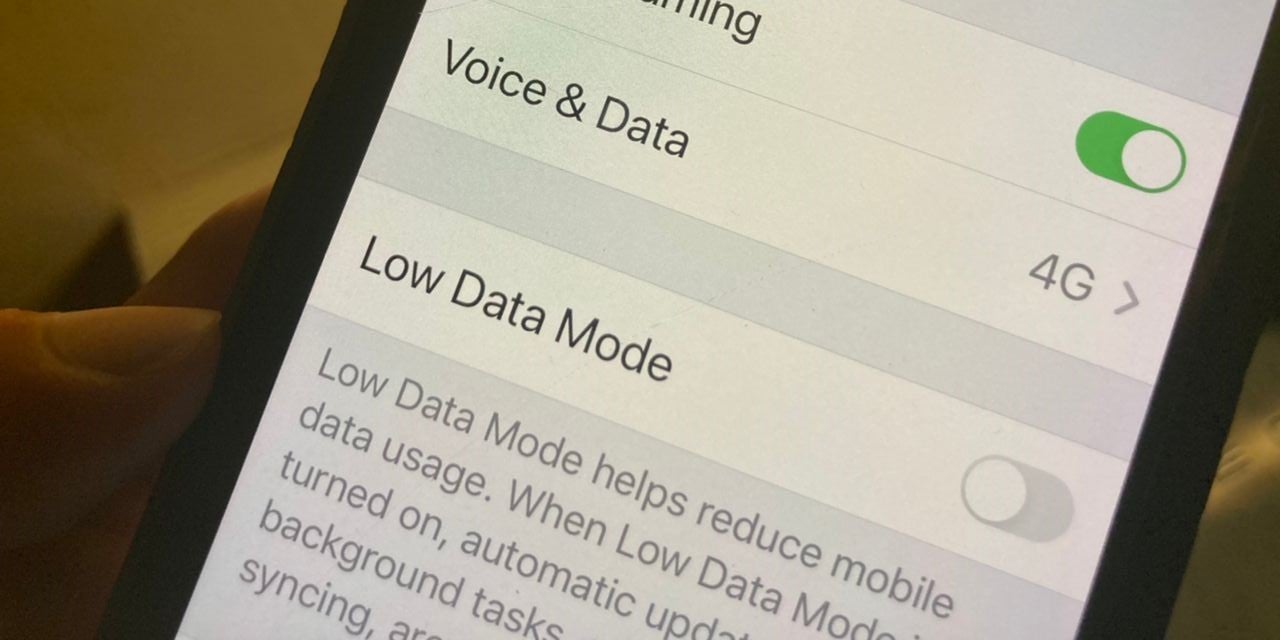
Pretty much every phone nowadays has a feature for reducing the amount of data you use. However, some users may find that their internet connection is slower than it should be because they don’t realise that Low Data mode is enabled. To confirm if this is the case, try turning Low Data mode off.
For iPhone users:
- Go to Settings > Cellular
- Tap Cellular Data Options
- Turn Low Data Mode off by swiping the switch
For Android users, the settings to enable the Data Saver option may vary based on your phone brand. For most Android phones, you can find the option for Data Saver by swiping down from the top of your screen. But if it’s not there, here’s one possible way to access it:
- Go to Settings
- Tap the Search bar/button which may be on the top of your screen
- Search for Data Saver or Low Data Mode
- Turn Data Saver/Low Data Mode off or make sure it doesn’t restrict data usage on the apps you’re using
At this point, you should be able to see if the Low Data Mode option really did make your mobile connection slower or not. But if not…
3. Try turning Airplane mode on and off
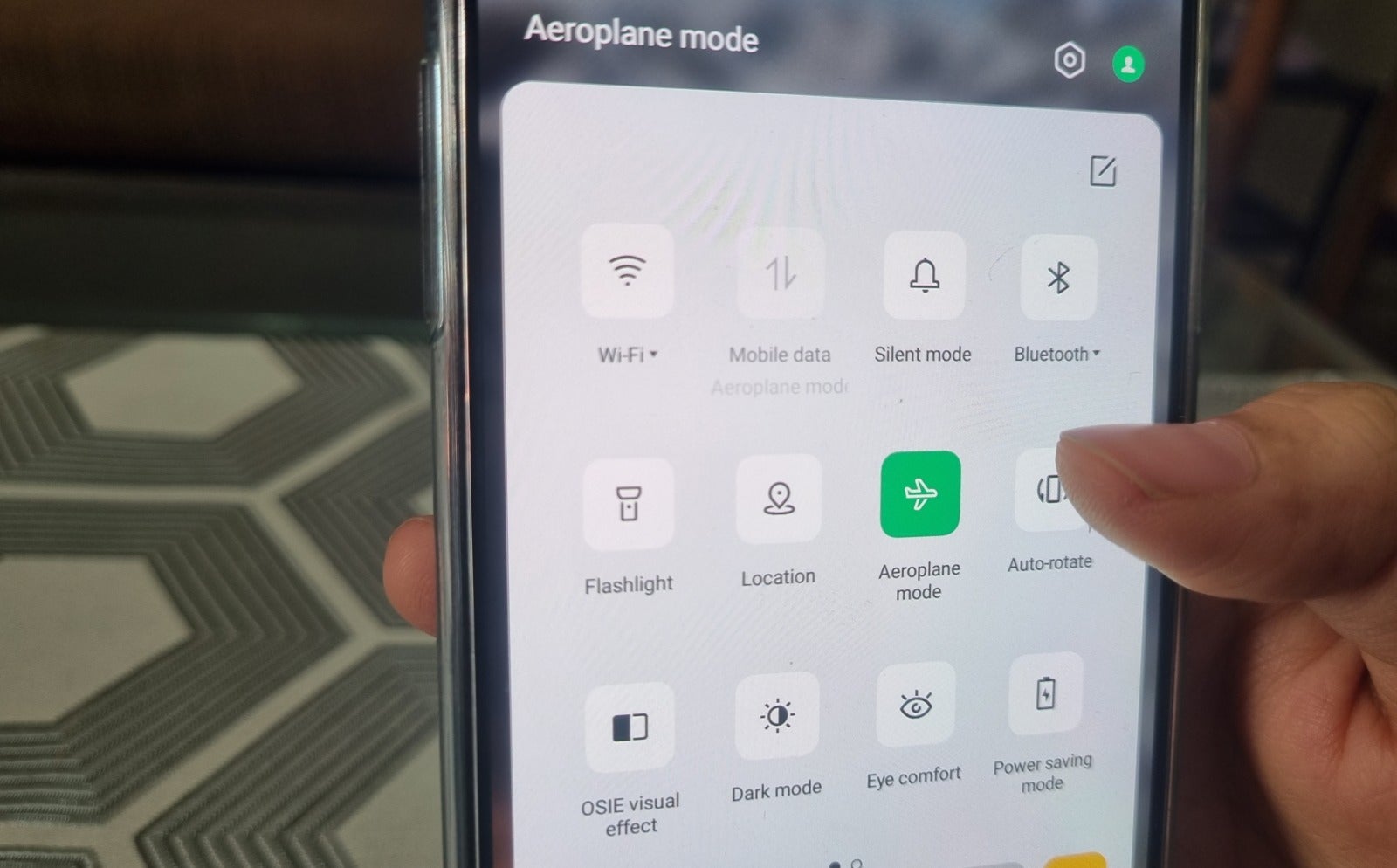
This trick is a bit clichéd, we admit. But sometimes restarting your mobile connection is the one trick that gets your mobile data up to speed (literally!) especially if you’re the kind of user who doesn’t turn their data off all too often.
Once you’ve turned on Airplane mode, wait for about one or two minutes before turning it back off. A few minutes should be more than enough time for your phone to be fully disconnected from any Wi-Fi or mobile connections. Or if you’re not in a rush, get even more clichéd by turning your entire phone off and on again. ?
4. Remove and re-insert your SIM card

It’s also possible that the problem lies with your SIM card. Try pulling out your SIM card and putting it back in to see if it solves whatever connection issues you’re experiencing.
But before you pull out your SIM card, we recommend turning off your phone first to prevent any potential lasting damage to your software. Again, wait for a few minutes before putting the SIM card back in and see if the connection improves.
5. Reset your phone’s network settings
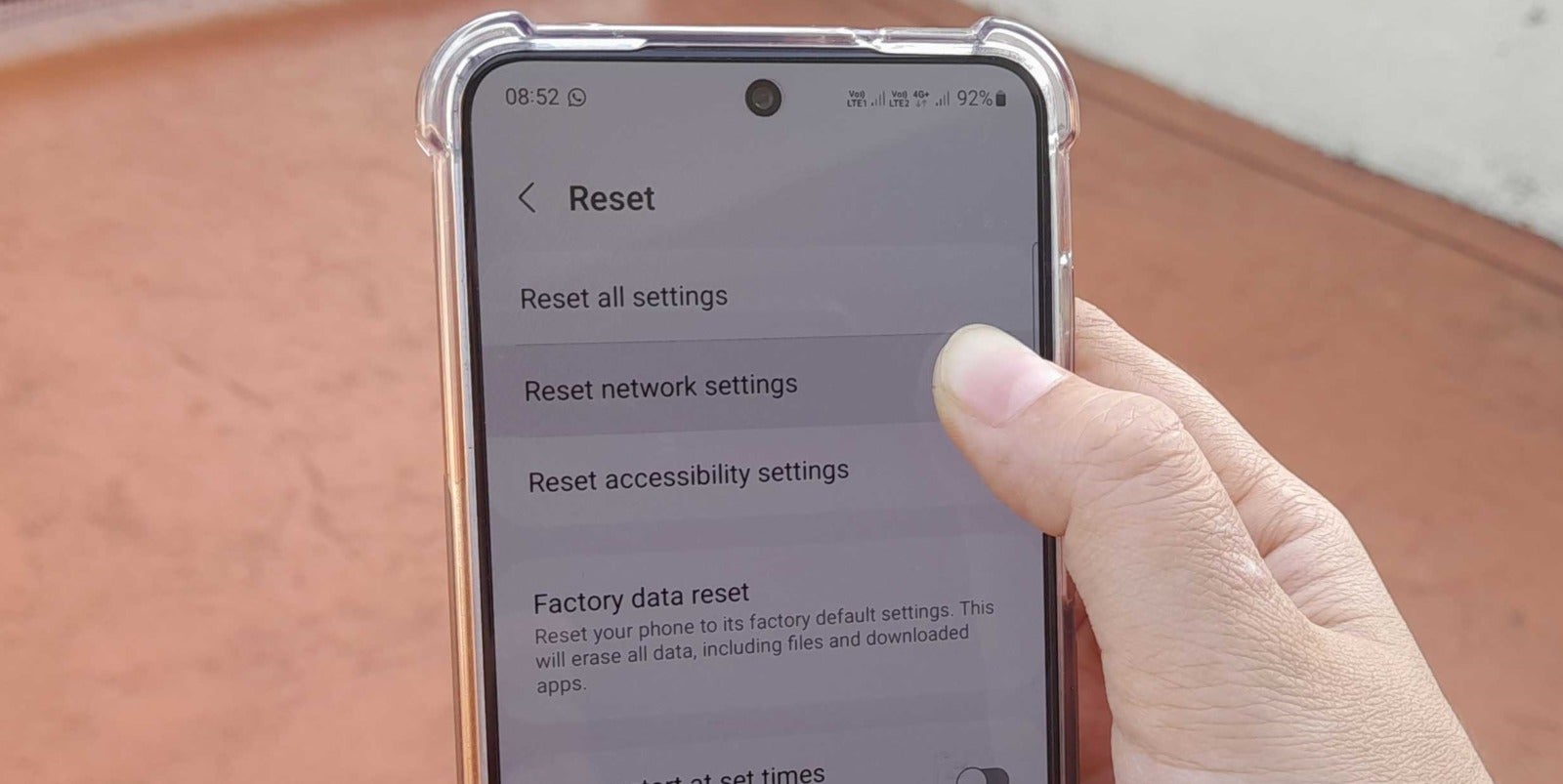
This fix is a bit drastic, but you may want to try resetting your phone’s network settings. This will reset everything network-related to its default setting, which means removing your Wi-Fi access points, paired Bluetooth devices and everything else of that ilk. But don’t worry, you can reconnect to those later.
To reset the network settings on your iPhone:
- Go to Settings > General > Transfer or Reset iPhone > Reset > Reset Network Settings
- Input your passcode (if you have one set)
- Restart your phone to start the operation
For Android users, again, the option to reset network settings may vary depending on the phone you’re using. If you’re having trouble finding it, try this:
- Go to Settings
- Tap the Search bar/button which may be on the top of your screen
- Search for Reset
- Tap on Reset Wi-Fi, mobile & Bluetooth (or whichever variation of it is in your Android)
Your internet speed still hasn’t improved after trying all of the above tactics? So degil la your mobile connection! ? When all else has failed, it might be time for a change of plans (literally)!
Need a better internet plan? Then #SwitchTo5G with Yes, the first telco in Malaysia to offer 5G!

As the nation’s first internet provider to offer 5G, Yes is committed to letting Malaysians have easy access to 5G. To that end, Yes has introduced the Yes Infinite and Yes Infinite+ mobile plans, starting at RM58/month! Here’s what these unlimited mobile plans entail:
- The Yes Infinite and Yes Infinite+ plans are the cheapest and fastest 5G plans available in the Malaysian market!
- These plans are 300% cheaper than the 4G market standard with an average price of RM0.30 per GB!
- You get a FREE 5G-compatible smartphone from one of Yes’ mobile partners (OPPO, Samsung, vivo and Xiaomi) with a 36-month contract!
- NO upfront payment, NO hidden fees, NO bill shock and NO Fair Use Policy (FUP)! You’ll be able to enjoy all the perks of the plans at the exact cost as advertised!
Signing up for the Yes Infinite plan is as easy as 1, 2, 3! Literally! Here’s how:
- Pick one of Yes Infinite plans: Choose one of the four tiers of the plans which suits your needs: Basic, Standard, Premium, and Ultra
- Choose a FREE* 5G phone: Pick from one of the available phone models based on your chosen plan
- Checkout and enjoy!: After confirming your purchase, you’re all set to discover infinite possibilities
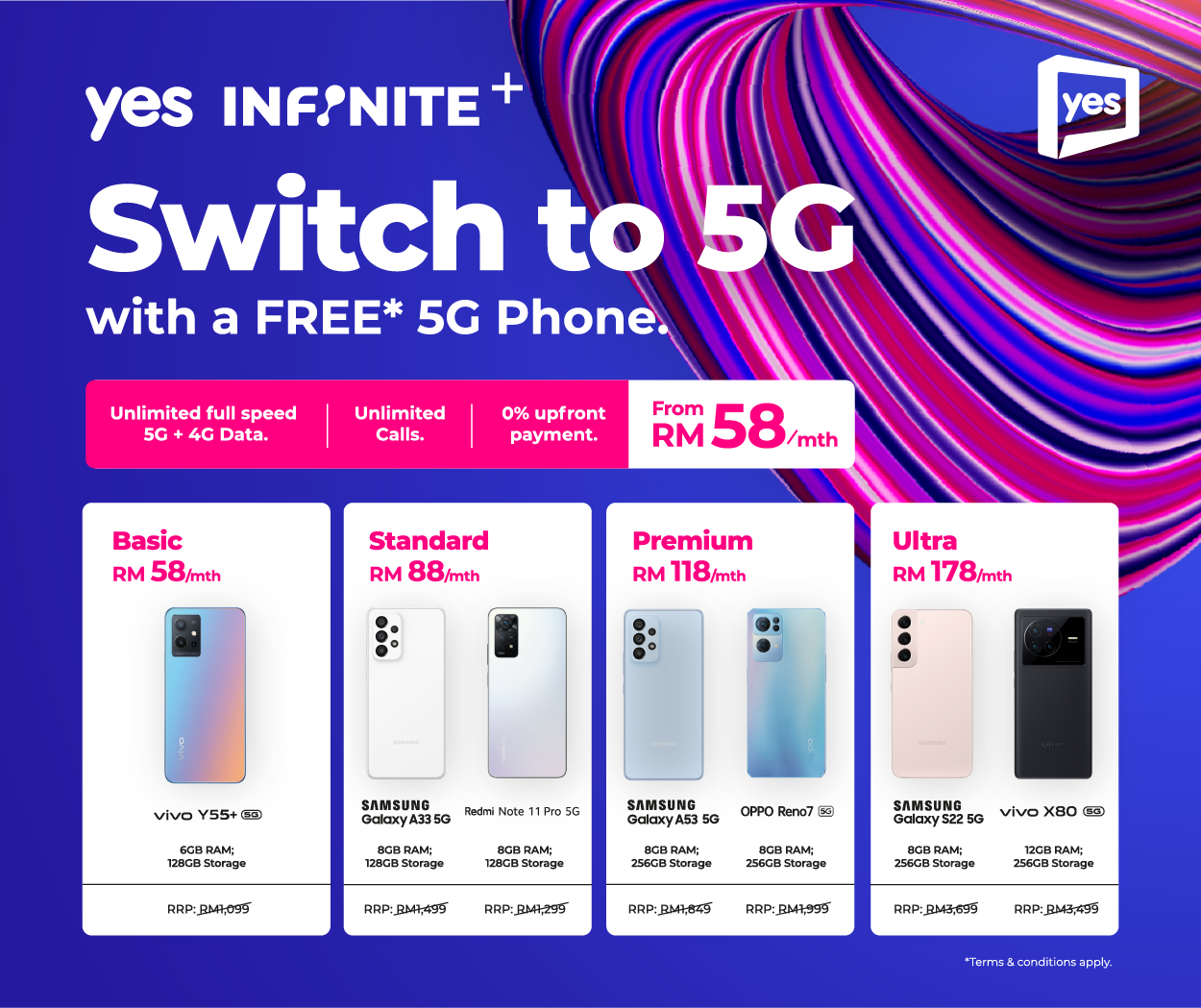
What can you get from the Yes Infinite+ device plans? Read on to learn about the cool deals that await when you #SwitchTo5G!:
1. Infinite+ Basic (RM58/month)
- Unlimited full speed 5G + 4G data
- Unlimited calls
- 10GB hotspot data
- FREE* 5G smartphone (vivo Y55+ 5G)
2. Infinite+ Standard (RM88/month)
- Unlimited full speed 5G + 4G data
- Unlimited calls
- 40GB hotspot data
- FREE* 5G smartphone (Samsung Galaxy A33 5G or Redmi 11 Pro Note 5G)
3. Infinite+ Premium (RM118/month)
- Unlimited full speed 5G + 4G data
- Unlimited calls
- 70GB hotspot data
- FREE* 5G smartphone (Samsung Galaxy A53 5G or OPPO Reno7 5G)
4. Infinite+ Ultra (RM178/month)
- Unlimited full speed 5G + 4G data
- Unlimited calls
- 100GB hotspot data
- FREE* 5G smartphone (Samsung Galaxy S22 5G or vivo X80 5G)
Want fast and cheap 5G internet PLUS a free new 5G-compatible smartphone to go with it?! Then just say Yes to this awesome new mobile plan and make the #SwitchTo5G!
Interested? Sign up now on Yes’ website, or go to any Yes stores or partner stores available near you! For more information about Yes mobile and broadband plans, kindly visit www.yes.my.
*Terms and conditions apply.