It’s payday time! You know what that means: SHOPPING! 🛍️ But here’s the thing: treating yourself doesn’t have to mean you have to drain your piggy bank in one go, which is why we have PayLater by Grab.
From 25 to 31 March, Grab’s PayLater PayDay Deals for Malaysians to enjoy RM10 OFF and earn up to 2x GrabCoins on their shopping.

Whether you’re stocking up on essentials or getting something new to have fun with, you can stick close to your budget by shopping now and paying later with PayLater by Grab.
Here’s how you can save more with PayLater by Grab:
1. How to shop and get an RM10 discount?

With Grab’s PayLater PayDay Deals, you can get up to RM10 OFF on your online purchase(s) with a minimum spend of RM100, making it sooooo easy to shop now and pay later. Additionally, if you spend above RM200, you’ll also get to earn up to 2x GrabCoins for even more savings.
Our pro tip: Aim for that RM200++ sweet spot to stack your RM10 discount + earn double GrabCoins to save on future purchases.
However, this deal is only valid for online purchases with selected merchants using PayLater by Grab. So, here’s the best way to find out which merchants are eligible:
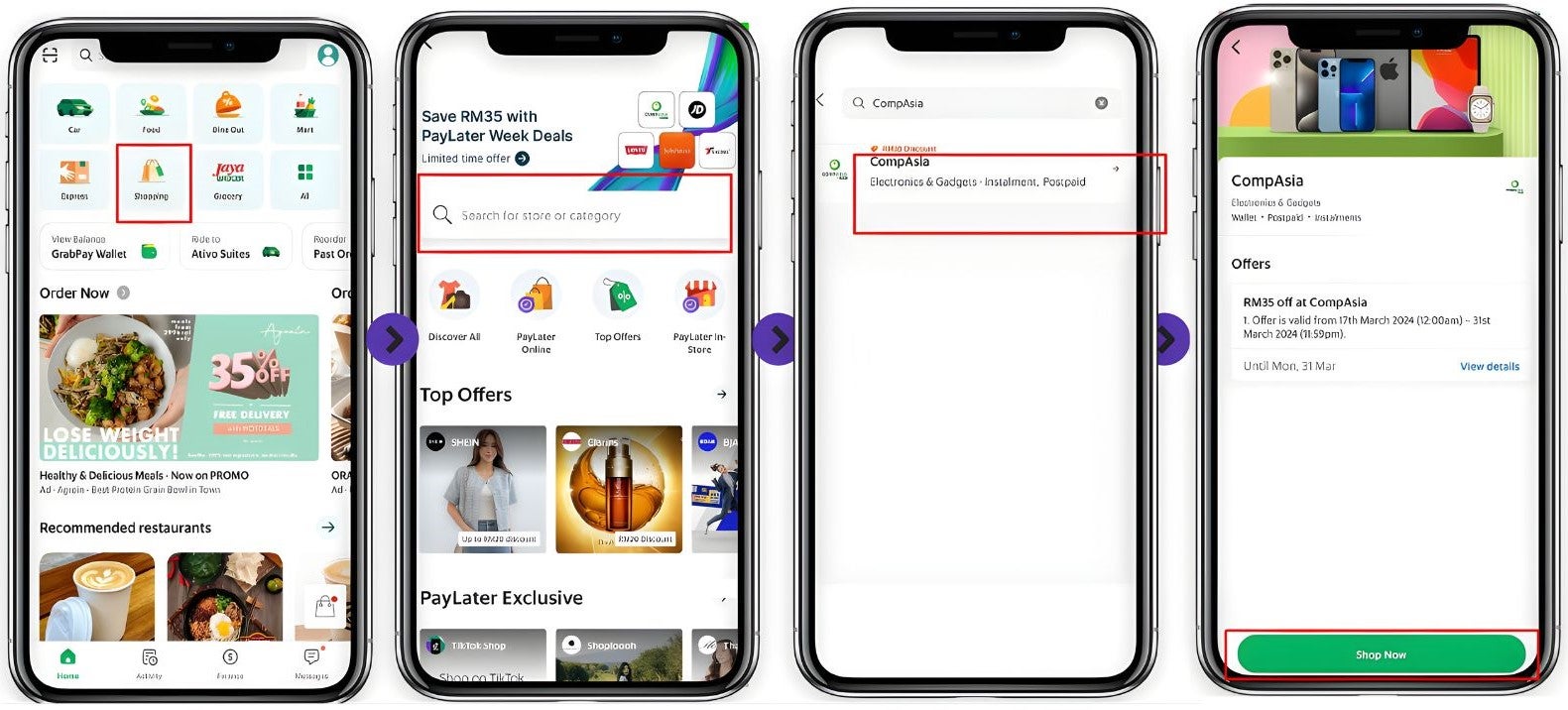
- Open the Grab app and tap on “Shopping”.
- Search for your favourite stores.
- Select the store you want to shop from.
- Tap on “Shop Now” to start shopping with PayLater by Grab.
2. How to activate PayLater by Grab

Once you’ve ensured that you’re eligible, here’s how you can start your PayLater by Grab journey and access Grab’s PayLater PayDay Deals:
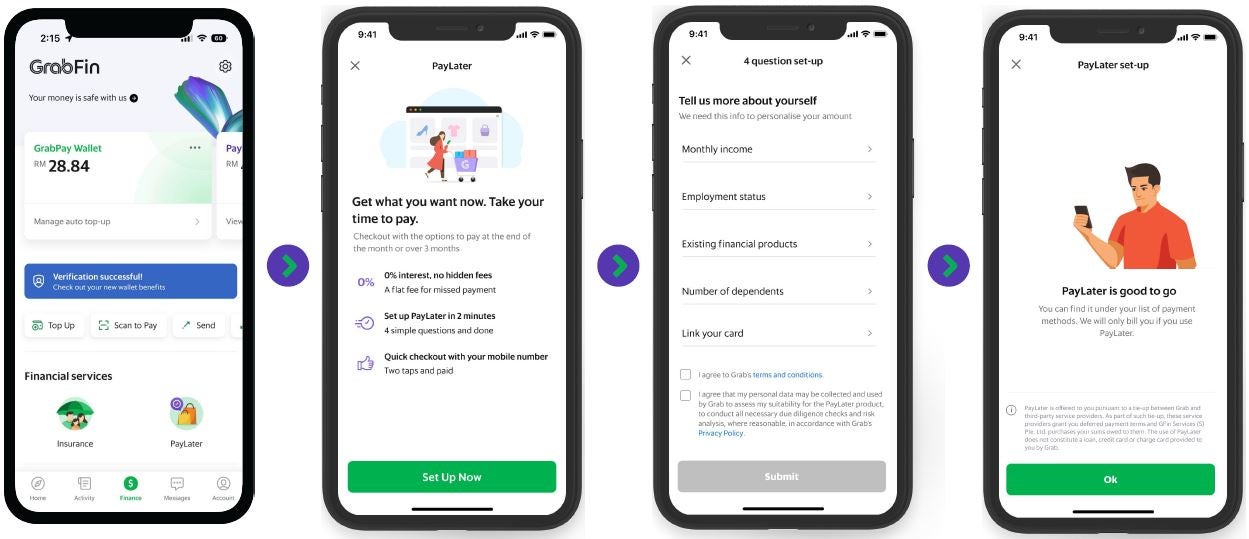
- Tap on “Finance” and choose “PayLater” to access the PayLater by Grab options.
- Click “Activate Now / Set Up Now”.
- Follow the instructions provided to activate PayLater by Grab. This may involve verifying your identity.
- Once activated, you’ll receive a confirmation, and PayLater by Grab will be ready for use at checkout.
3. How to apply PayLater PayDay Deals promo
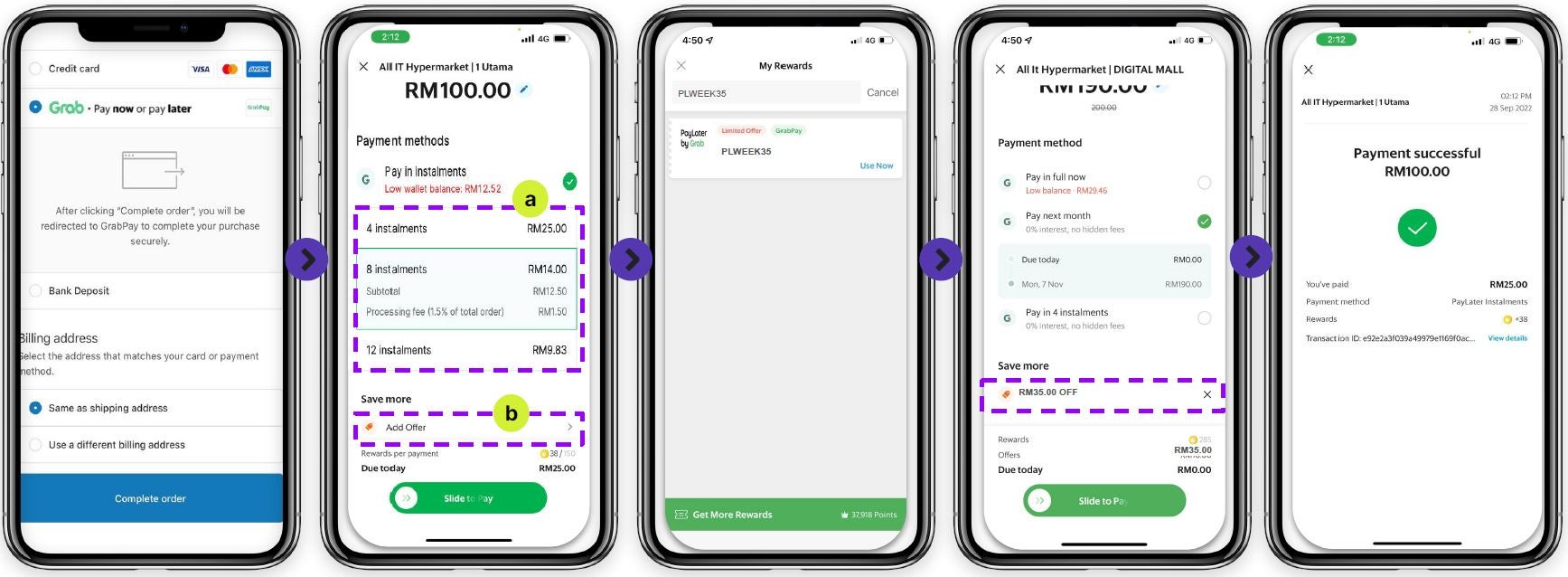
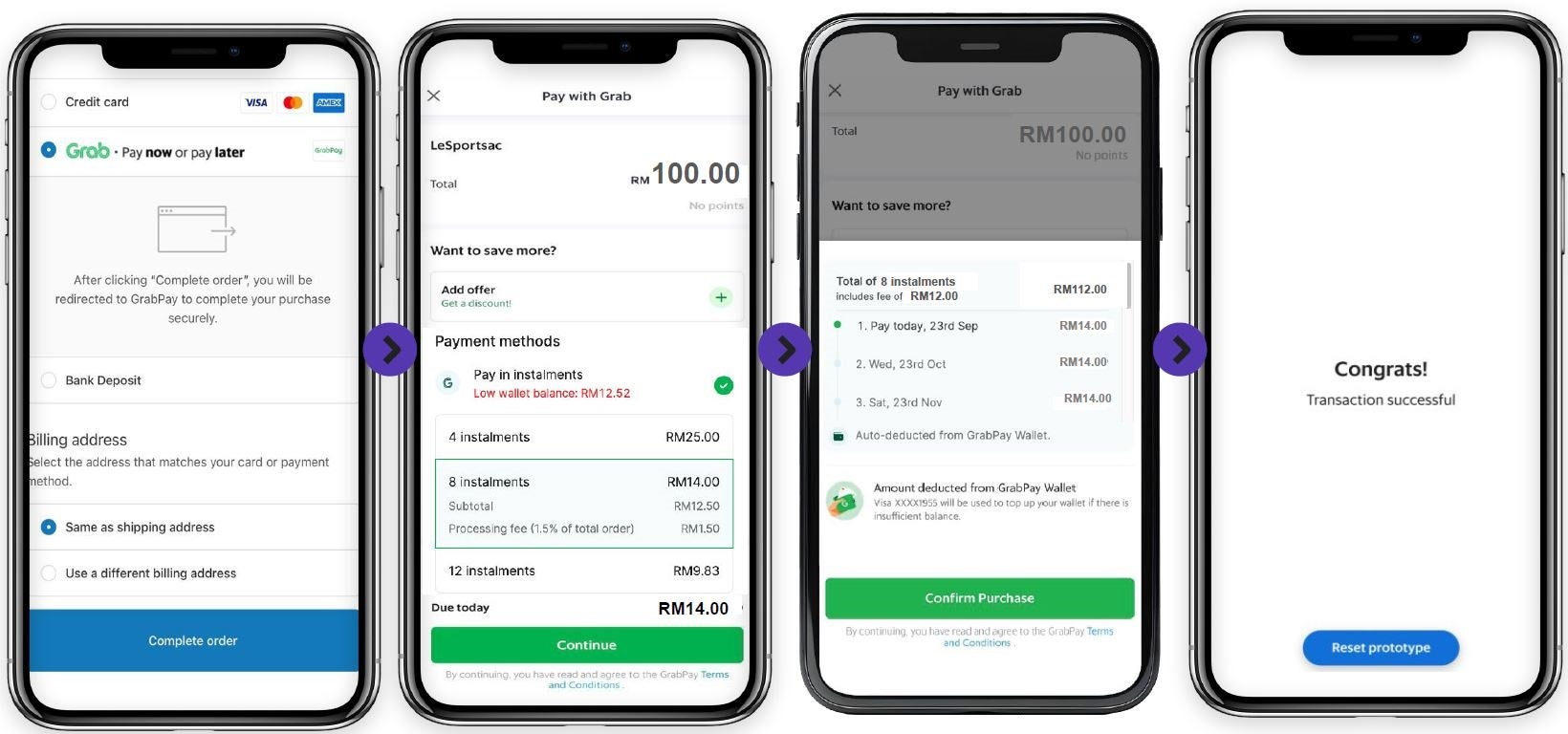
In the payment options, select GrabPay/PayLater by Grab as the payment method.
- In the payment options, select GrabPay/PayLater by Grab as the payment method.
- Select ‘Pay Next Month’ or ‘Pay in 4/ 8/12 Instalments’ and click ‘Add Offer’
- Select Select / Insert Promo Code [PLPAYDAY10]
- Promo is applied, swipe right to complete the transaction.
- Payment successful!
4. How to Apply for PayLater – 4 / 8 / 12 Instalments

PayLater by Grab allows you to split your payments into 4, 8 or 12 instalments, making it easier than ever to manage your expenses! Here’s how users can apply for PayLater by Grab’s instalments:
- In the payment options, select GrabPay/PayLater by Grab as the payment method.
- Select ‘Pay Next Month’ or ‘Pay in 4/8/12 Instalments’.
- Complete the payment using PayLater, and the purchase will be divided into the selected instalment plan.
- Once payment is successful, the first payment will be deducted according to the terms.
Grab’s PayLater PayDay Deals ends on 31 March!
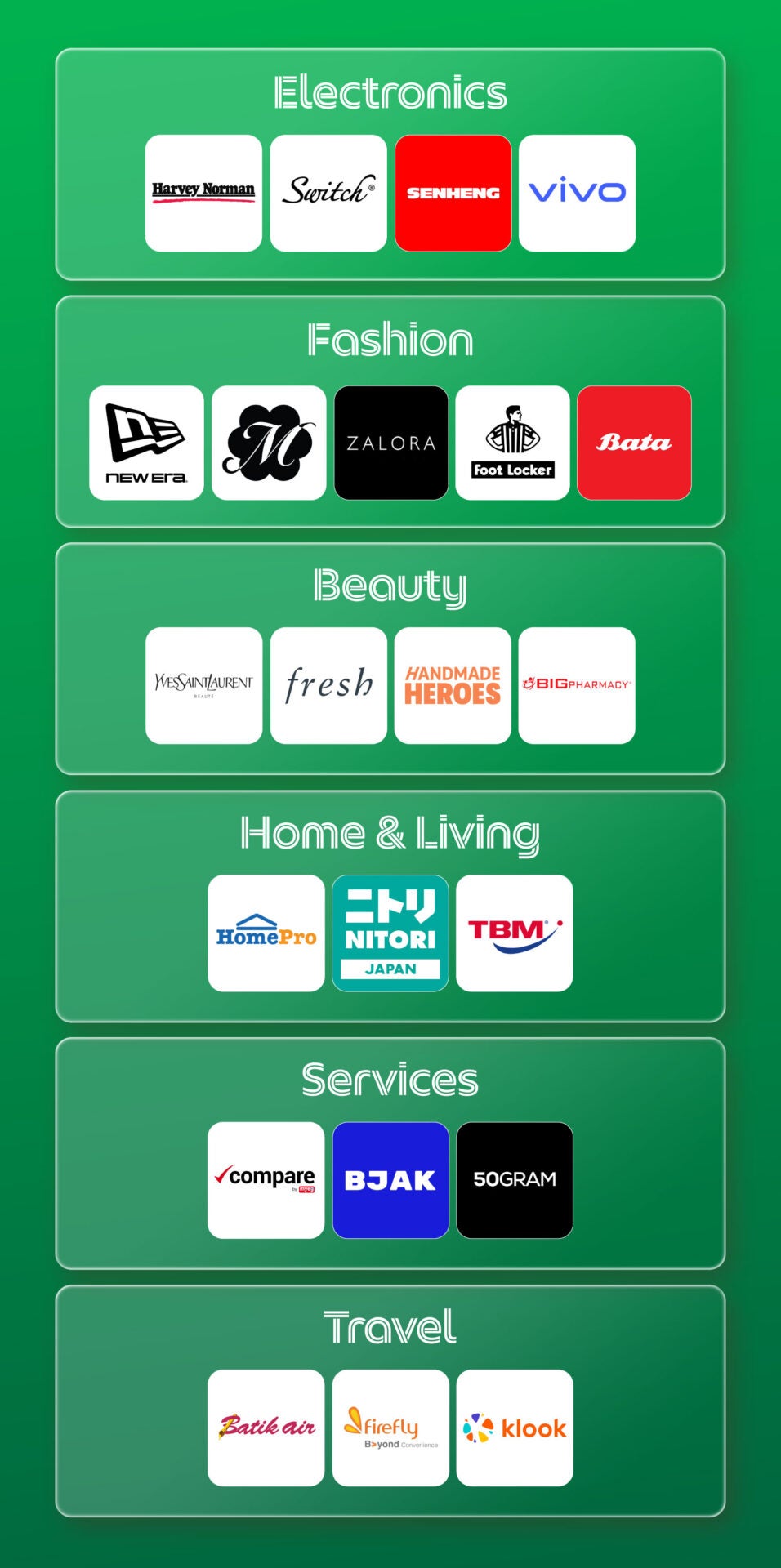
With PayLater by Grab, you have the freedom to shop and pay on your own terms, from essential groceries to the latest fashion, gadgets, and more. So don’t miss your chance to save more with Grab’s PayLater PayDay Deals before it ends on 31 March 2026.
Download the Grab app now on the App Store, Google Play, or AppGallery.
For more info on PayLater by Grab and all things Grab, visit their website and follow them on their social media pages: