For some Malaysians, the 2026 Hari Raya Aidilfitri celebrations are coming at an unfortunate time, coinciding directly with the dreaded income tax season.
Under Malaysia’s self-assessment system, taxpayers must file their returns for the Year of Assessment 2025 to the Inland Revenue Board (LHDN) by 30 April 2026 for those without business income and 30 June 2026 for those with business income. For both categories, LHDN is giving a 15-day grace period if it’s done through e-filing.

For illustration purposes
Furthermore, since taxpayers are required to settle any tax balances or arrears by these same deadlines or incur an automatic 10% penalty on the unpaid balance, this significant expenditure should be factored into Aidilfitri budgets. With festive traditions like balik kampung, baju raya, duit raya, and hosting open houses already stretching wallets thin, settling tax arrears simultaneously can be a major burden.
Beyond the financial sting, taxpayers are also reminded to clear their arrears before heading abroad for the holidays. Travel restrictions under Sections 104 and 75A of the Income Tax Act 1967 and Section 22 of the Real Property Gains Tax Act 1976 remain a primary enforcement tool against those with outstanding tax debts.

For illustration purposes
With that in mind, Malaysians whose finances are taking a hit this Aidilfitri actually have a ‘BNPL’-like option to delay paying their income tax balances or arrears in instalments of up to 6 months online. Aptly called ‘e-Ansuran,’ this online option was introduced by LHDN last year and allows taxpayers to get approval automatically without the need for supporting documents or having to visit LHDN offices.
So, who is eligible for e-Ansuran, and how can one apply for it? Here’s everything you should know:
Eligibility for LHDN e-Ansuran
According to the agency, e-Ansuran is available for taxpayers who fulfil these criteria:
- The amount applied exceeds RM300
- The minimum monthly instalment payment is RM50
- It applies only to Income Tax payments (excluding existing or ongoing instalment plans).
- Cancellation of e-Ansuran can only be processed at physical LHDN offices
How to apply for LHDN e-Ansuran
If you’re eligible for e-Ansuran, here are the steps you need to take to apply:
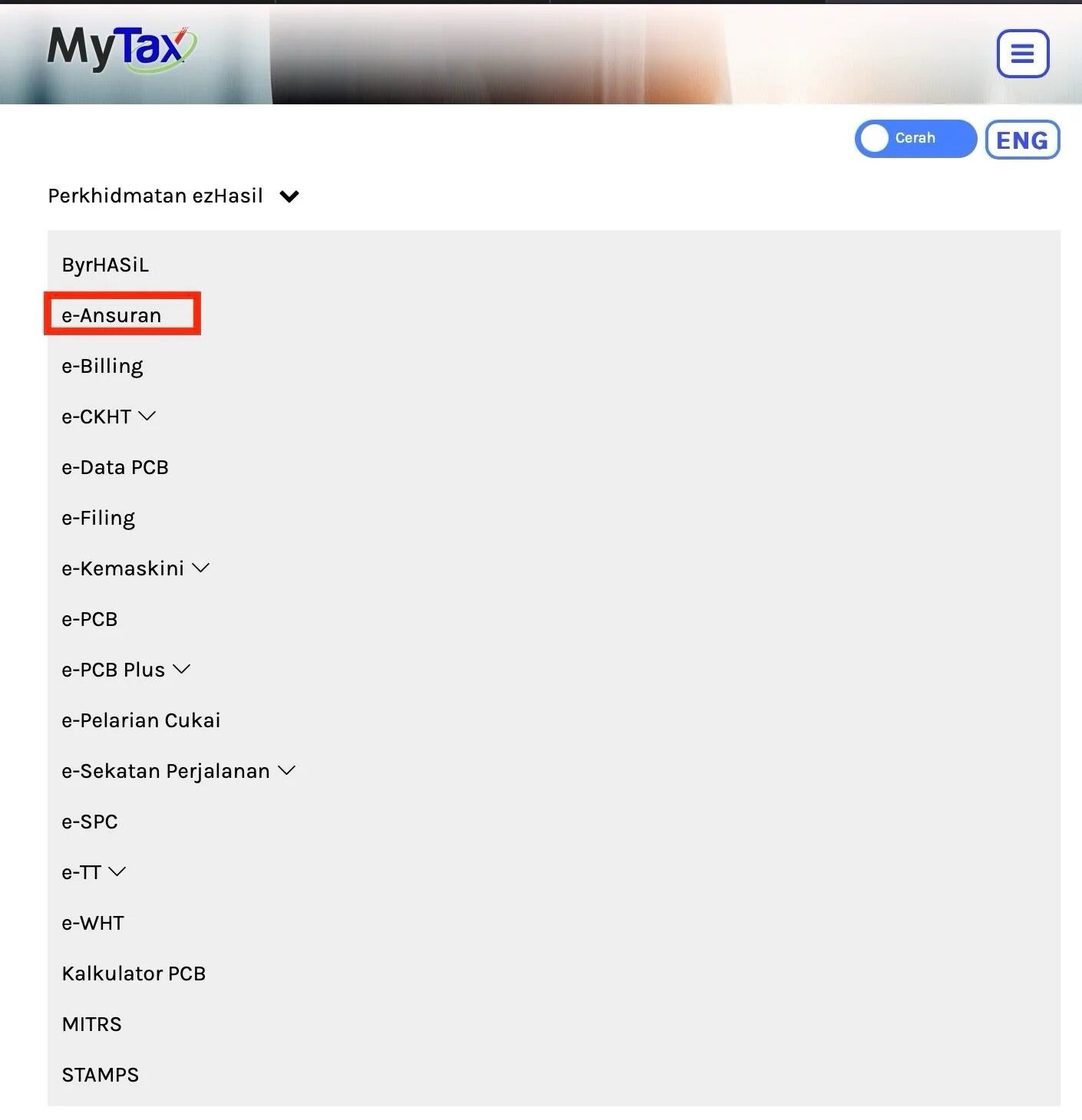
1. Log in to the MyTax portal here and choose the ‘e-Ansuran’ option from the ‘ezHasil Services’ dropdown menu
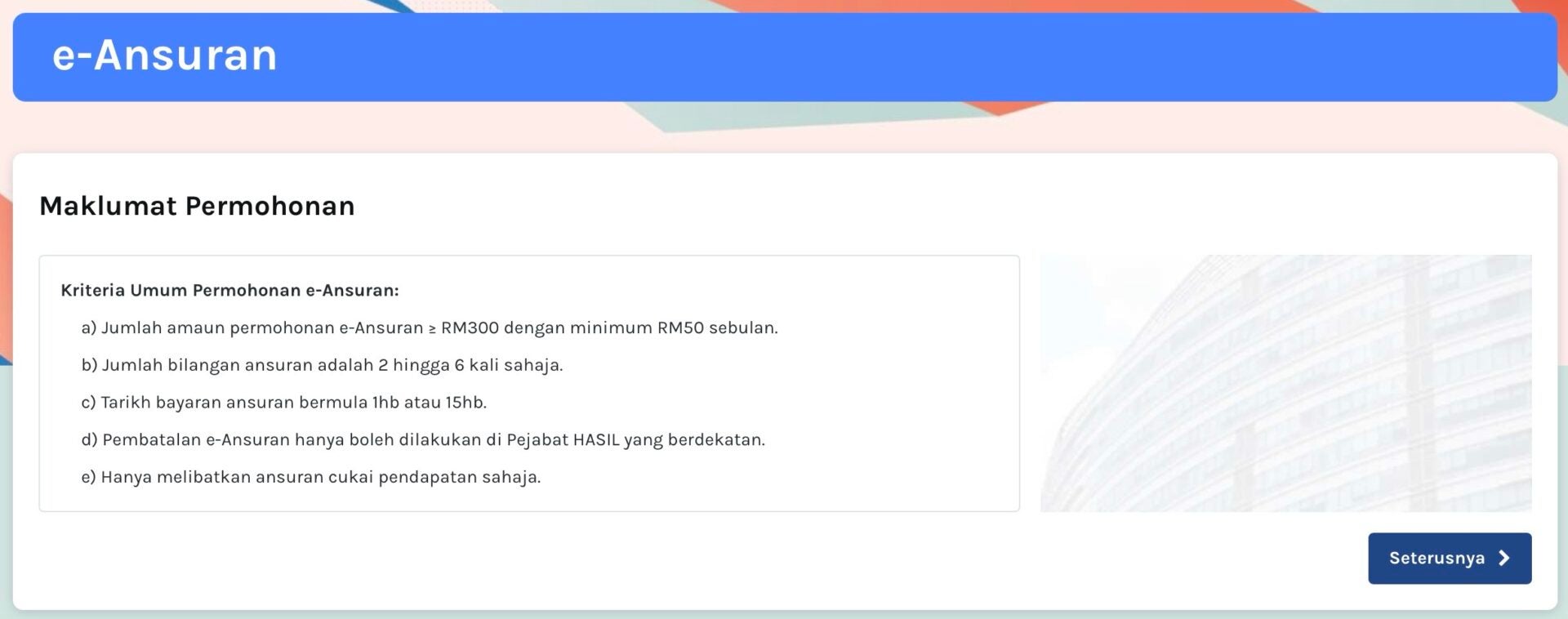
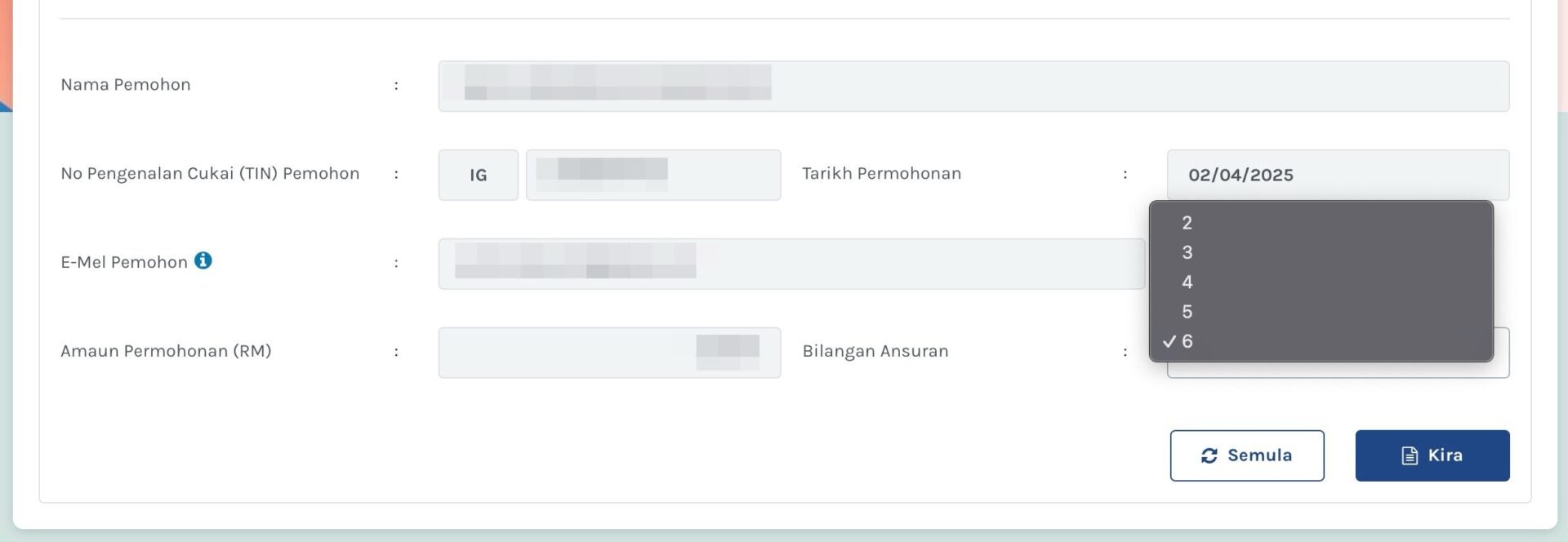
2. Select next until ‘Senarai Bil’ (Bill List) and choose your preferred number of instalments
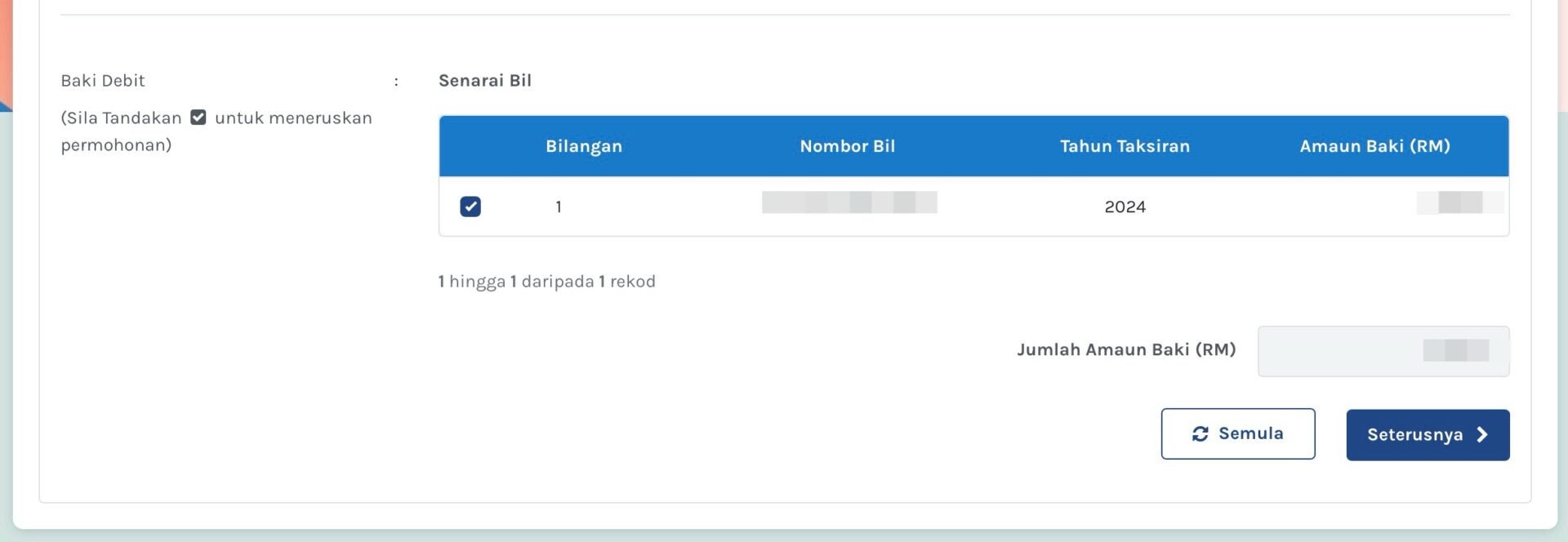
Available instalment options are between two and six months.
3. Take note of the due dates for each instalment
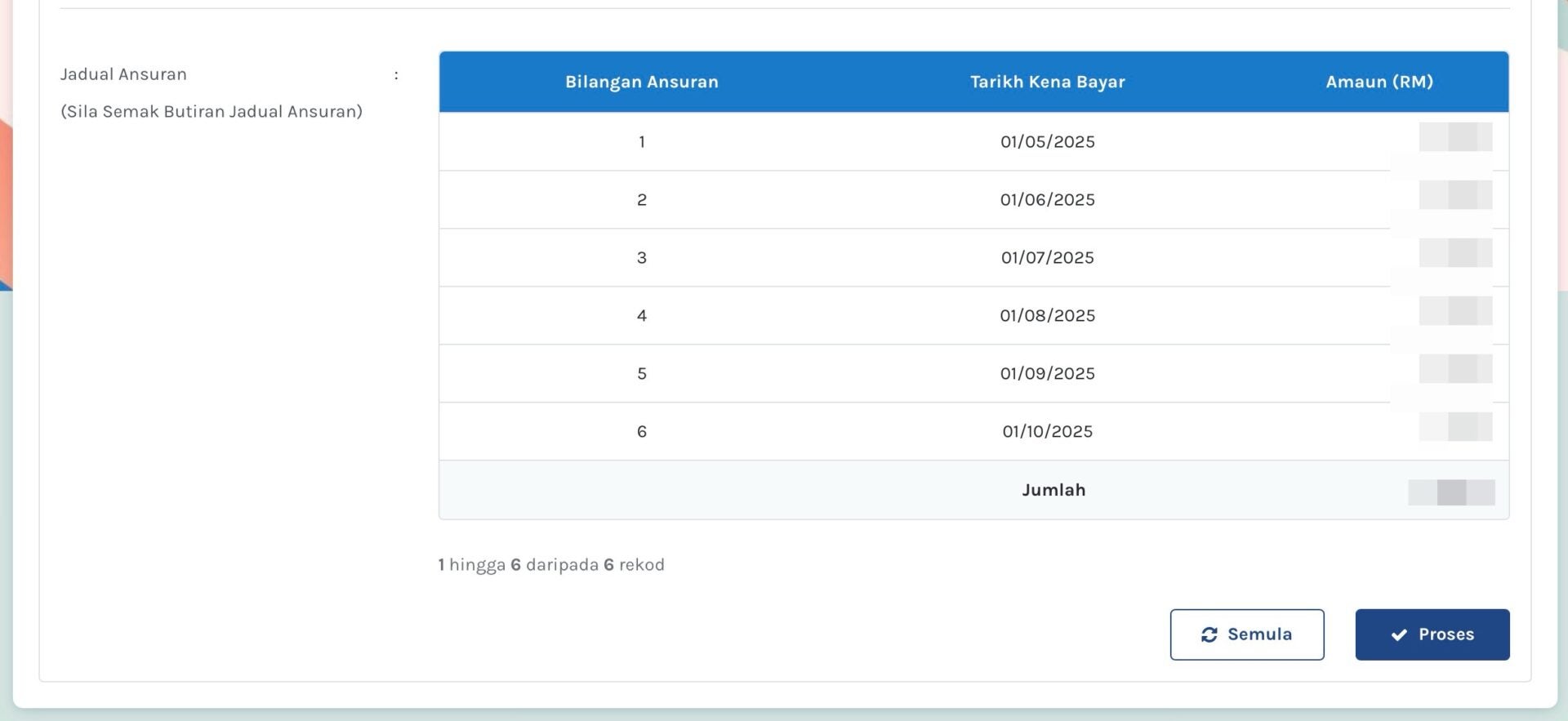
LHDN will automatically provide you with an instalment due date of either the first day or the 15th day of the month.
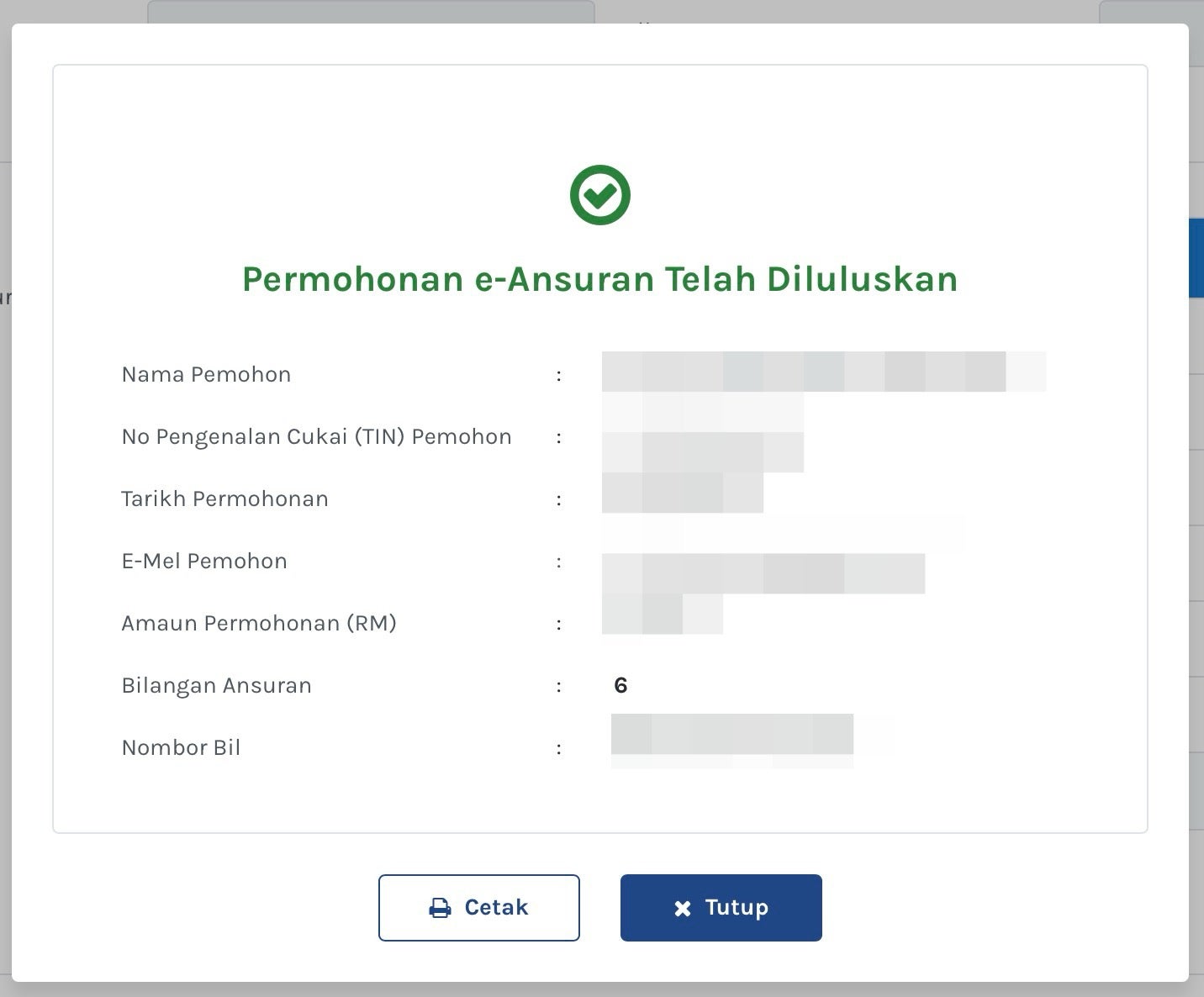
4. Select ‘process’, and you’ll receive a confirmation message of your successful e-Ansuran application from LHDN
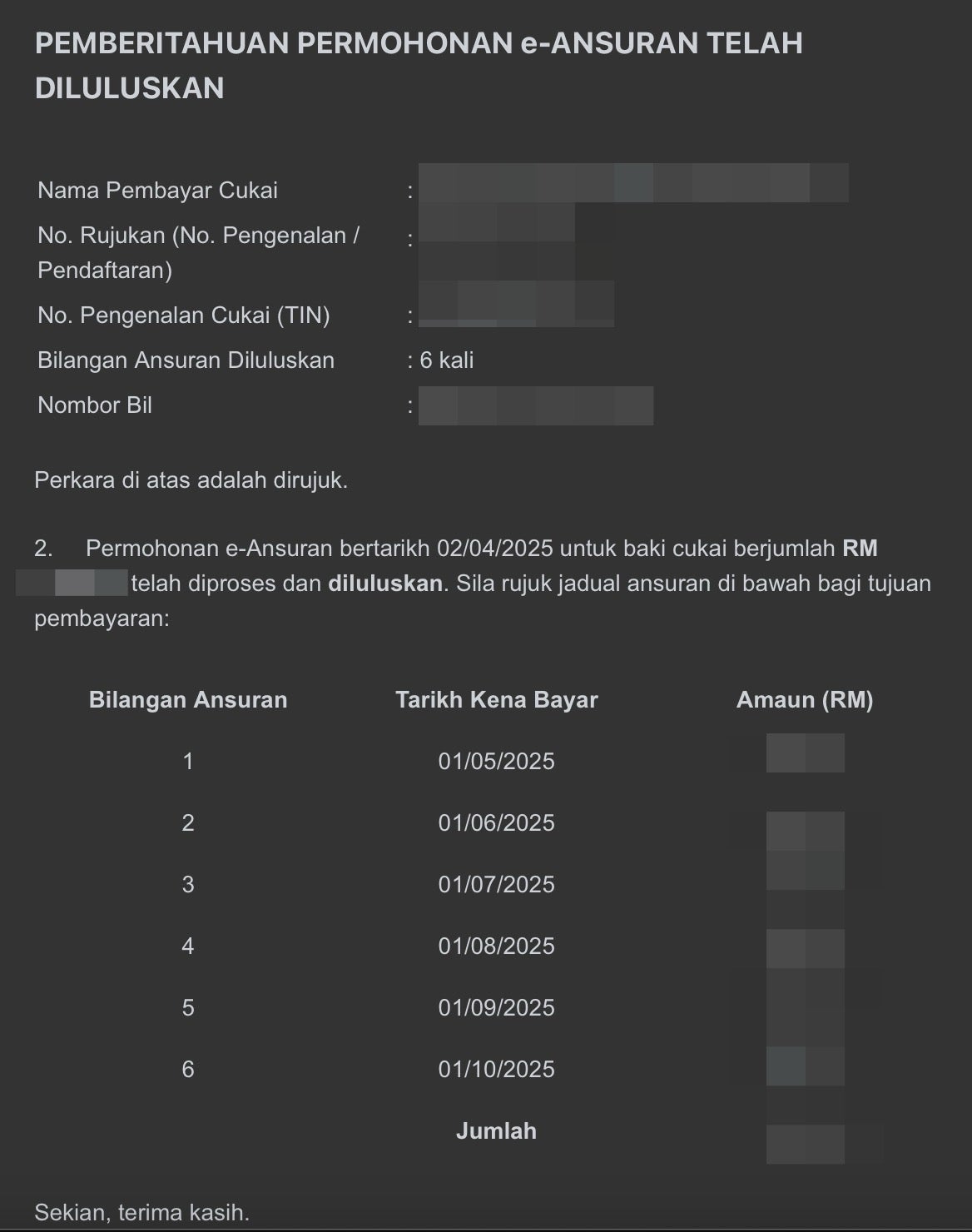
You will also receive a confirmation e-mail about your e-Ansuran arrangement.
Voila, you’re done! To make your monthly payments, visit the ‘ByrHASiL’ portal here. You can choose to pay using either your Bill Number or Tax Identification Number (TIN).

For illustration purposes
So, what do you guys think of LHDN’s e-Ansuran? Share your thoughts with us in the comments.