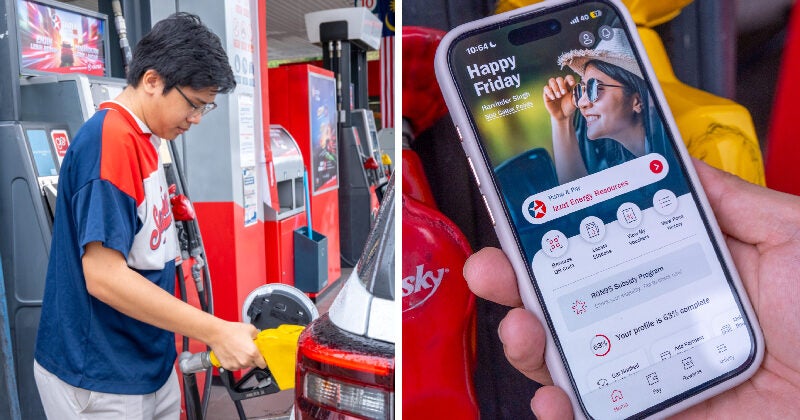
Think refuelling your vehicle is a mafan affair all the time, every time? Well, Caltex has a solution that will make your life a whole lot easier!
Easy, fast, and convenient! Use the CaltexGO App every time you refuel to get your BUDI MADANI RON95 Subsidy, a smoother journey, and more!
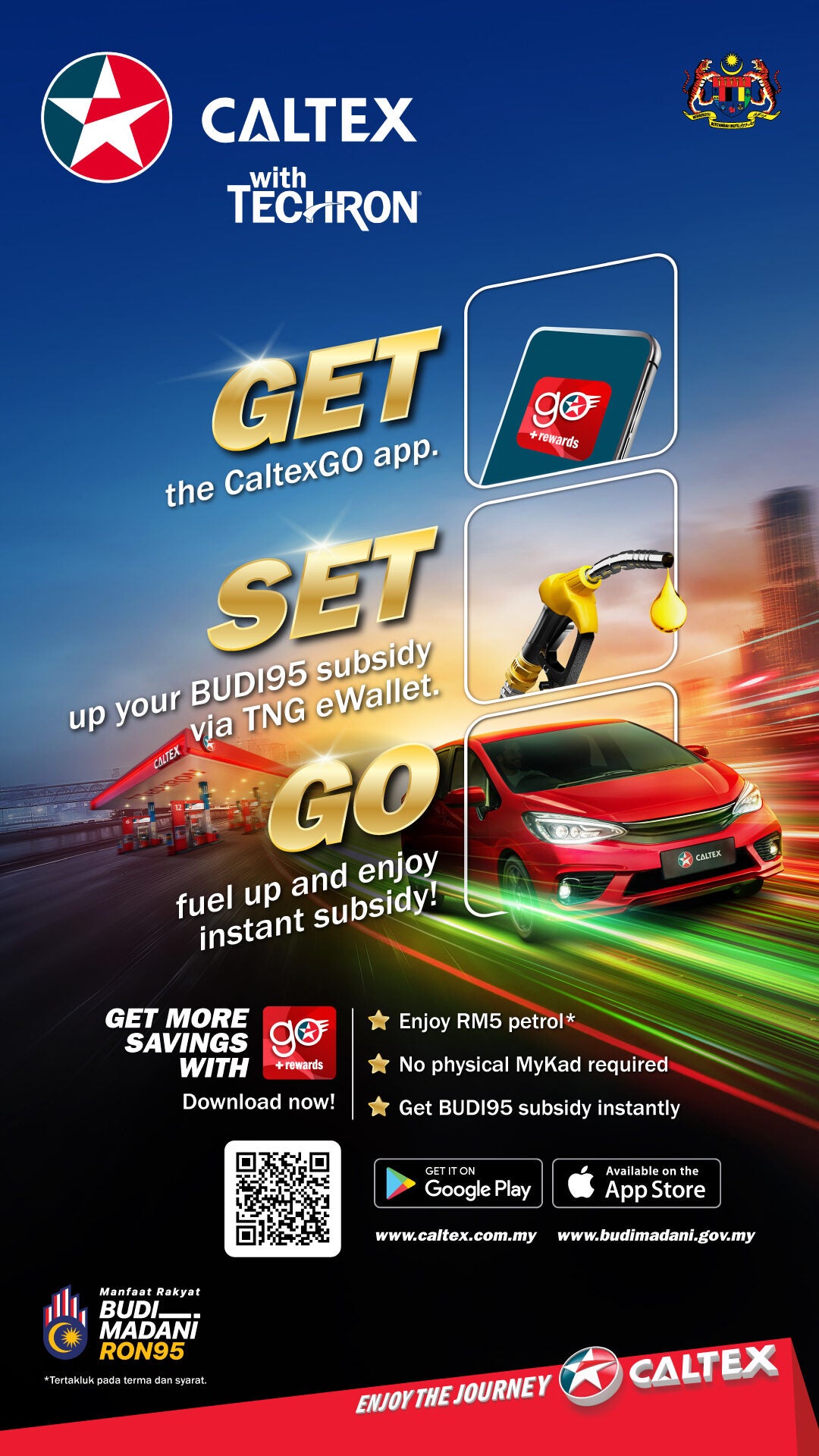
More than just another payment app for your phone, it revolutionises the way you fuel up and travel by letting you pay from the app, enjoy instant BUDI MADANI RON95 Subsidy, and earn benefits! Here’s how:
1. EASY: Get, Set, Go with a selection of perks and benefits
Forget “Easy as 1, 2, 3”. With Caltex, it’s “Easy as Get, Set, Go”! Download the CaltexGO app today to enjoy a seamless and rewarding fuel experience. Here are the benefits you stand to enjoy when you use CaltexGO:
- Get instant RM5 fuel upon registration*
- No physical MyKad required – just do a one-time eKYC verification and you’re all set
- Enjoy instant BUDI MADANI RON95 subsidy
Start enjoying the perks of instant subsidies and outdoor payment convenience now, for a smoother time on the road!
2. FAST: Less queueing, more time on the road!
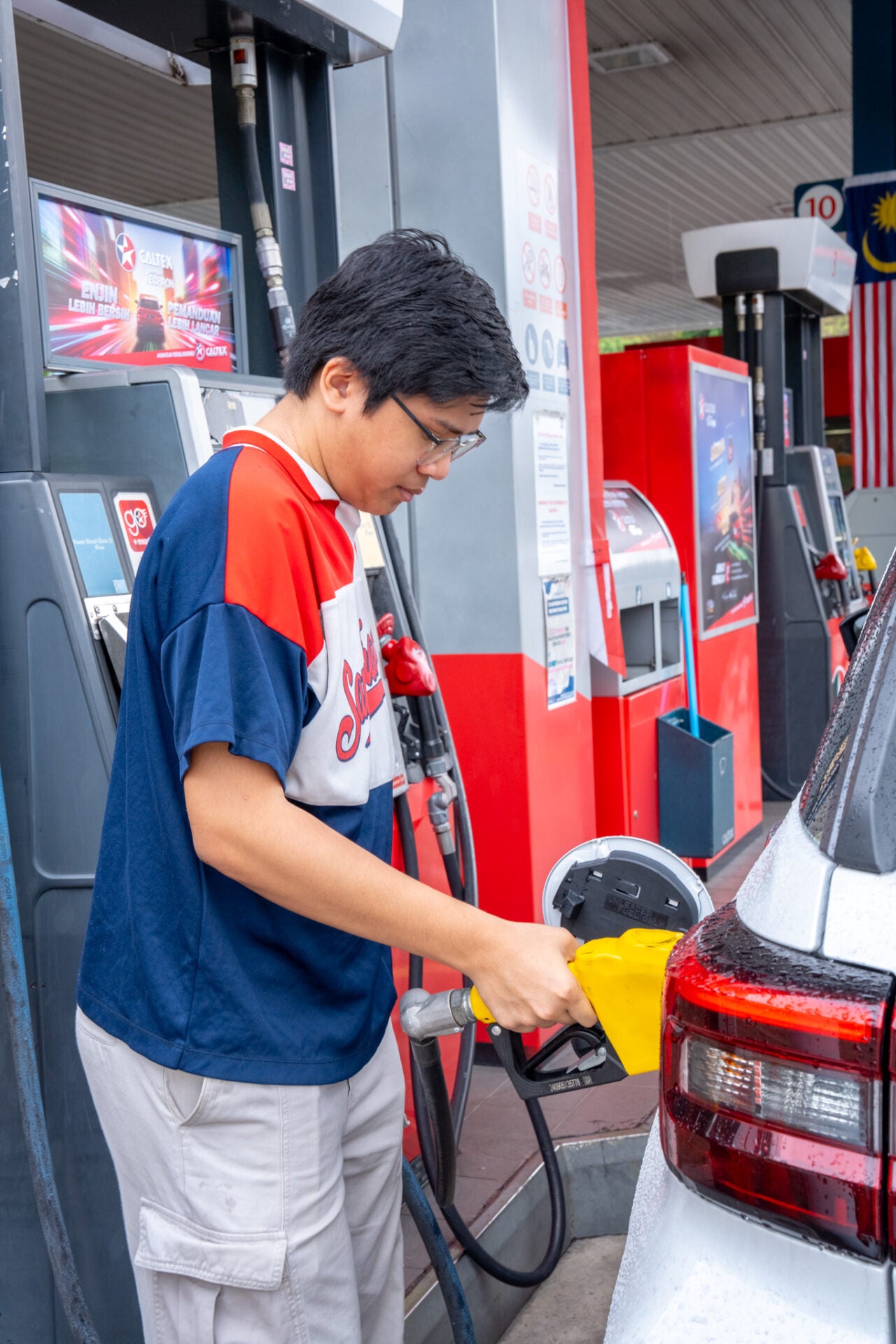
Beratur for what?! Say goodbye to long lines with the speed of CaltexGO! The CaltexGO app puts both verification and payment right at your fingertips, allowing you to skip the cashier queue entirely.
To start off, the initial eKYC verification is a swift, one-time process, and every subsequent payment is just a few taps on your phone. This hassle-free approach saves you precious time on every visit, making sure you’ll spend only a few minutes at Caltex’s fast and efficient pit stop! Just follow these super simple steps:
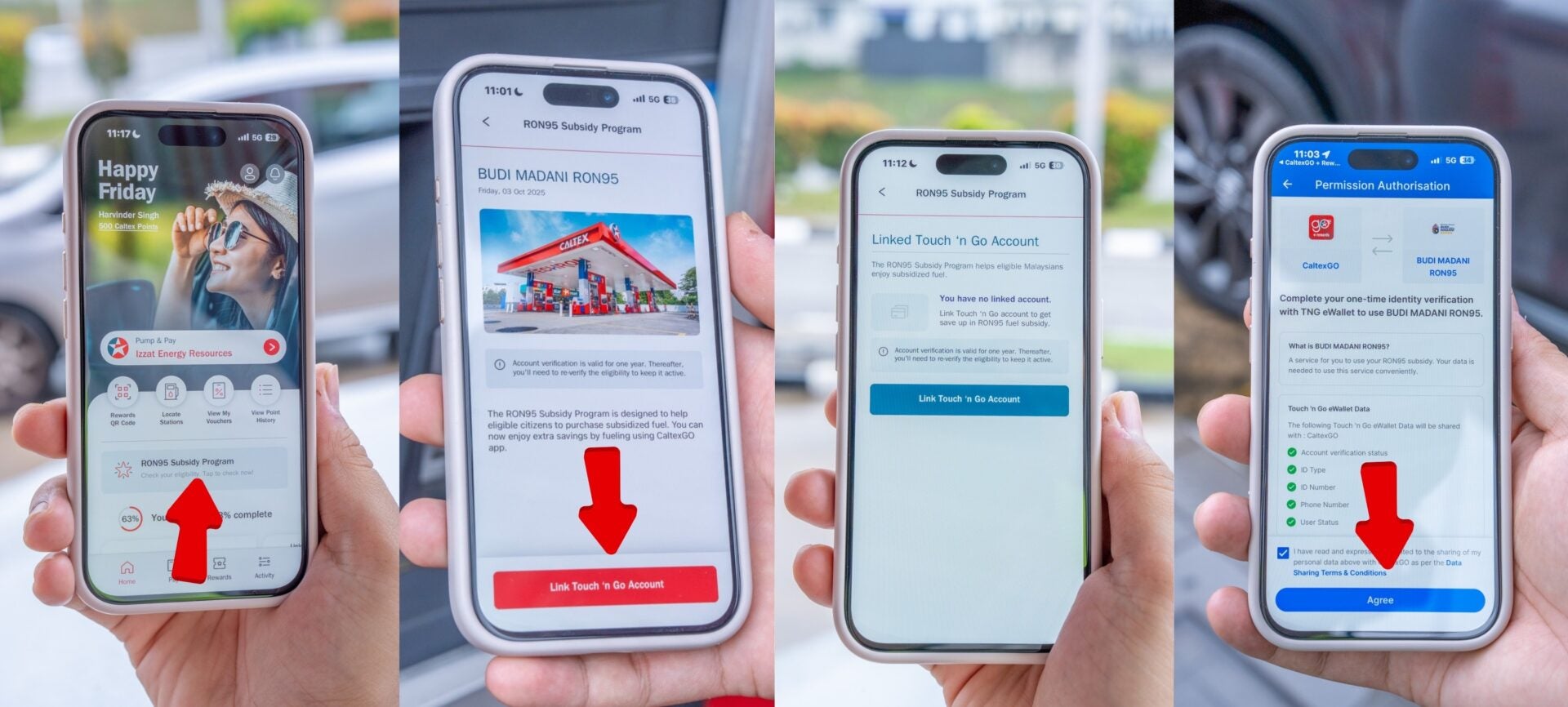
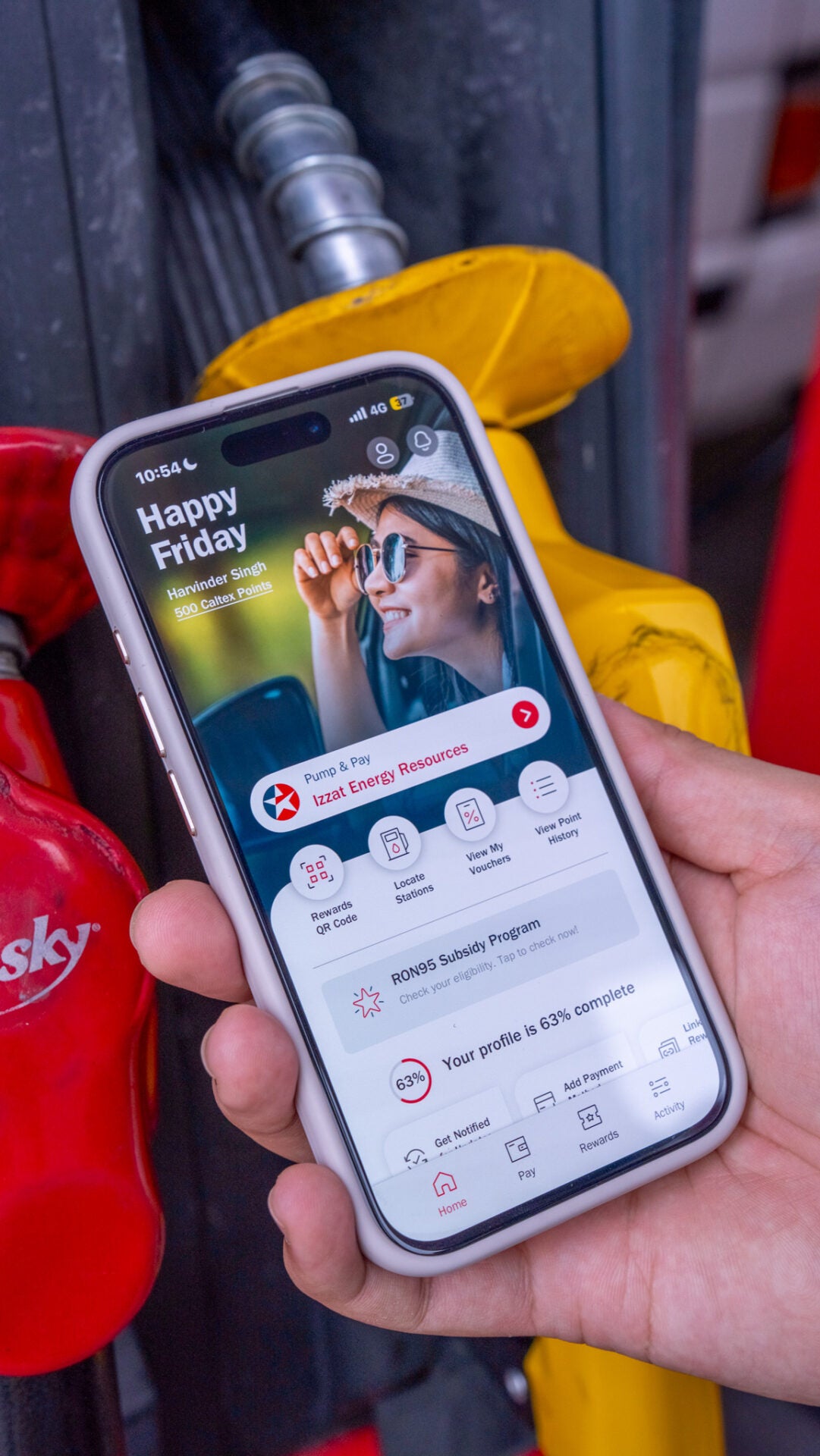
- Step 1: Open the CaltexGO app and click on ‘RON95 Subsidy Program’ on the homepage.
- Step 2: Click on ‘Link TNG Account’.
- Step 3: You’ll be redirected to the TNG app; tick the checkbox and click ‘Agree’.
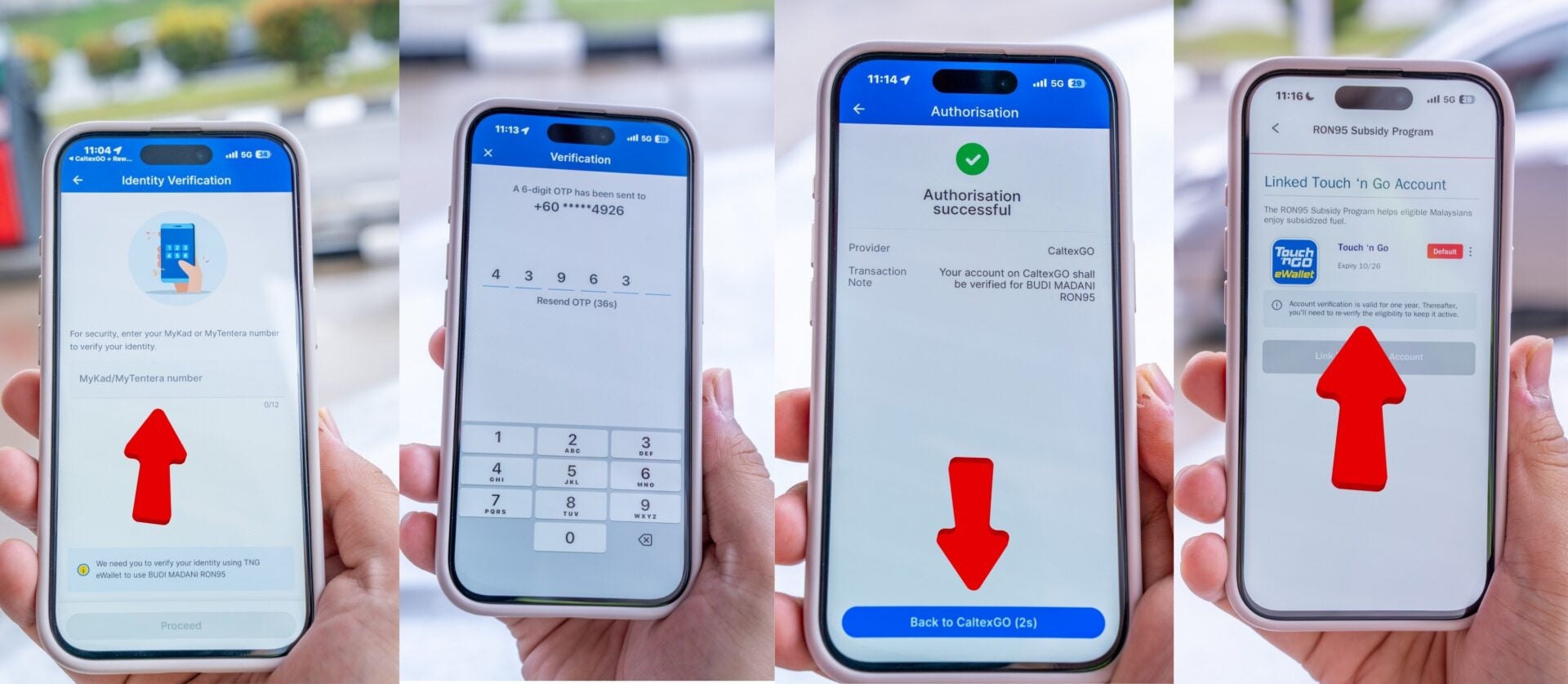
- Step 4: Input your MyKad number.
- Step 5: Verify and input the 6-digit OTP (make sure you’re using the same mobile number as the CaltexGO app).
- Step 6: Once authorisation is successful, you will be redirected back to the CaltexGO app.
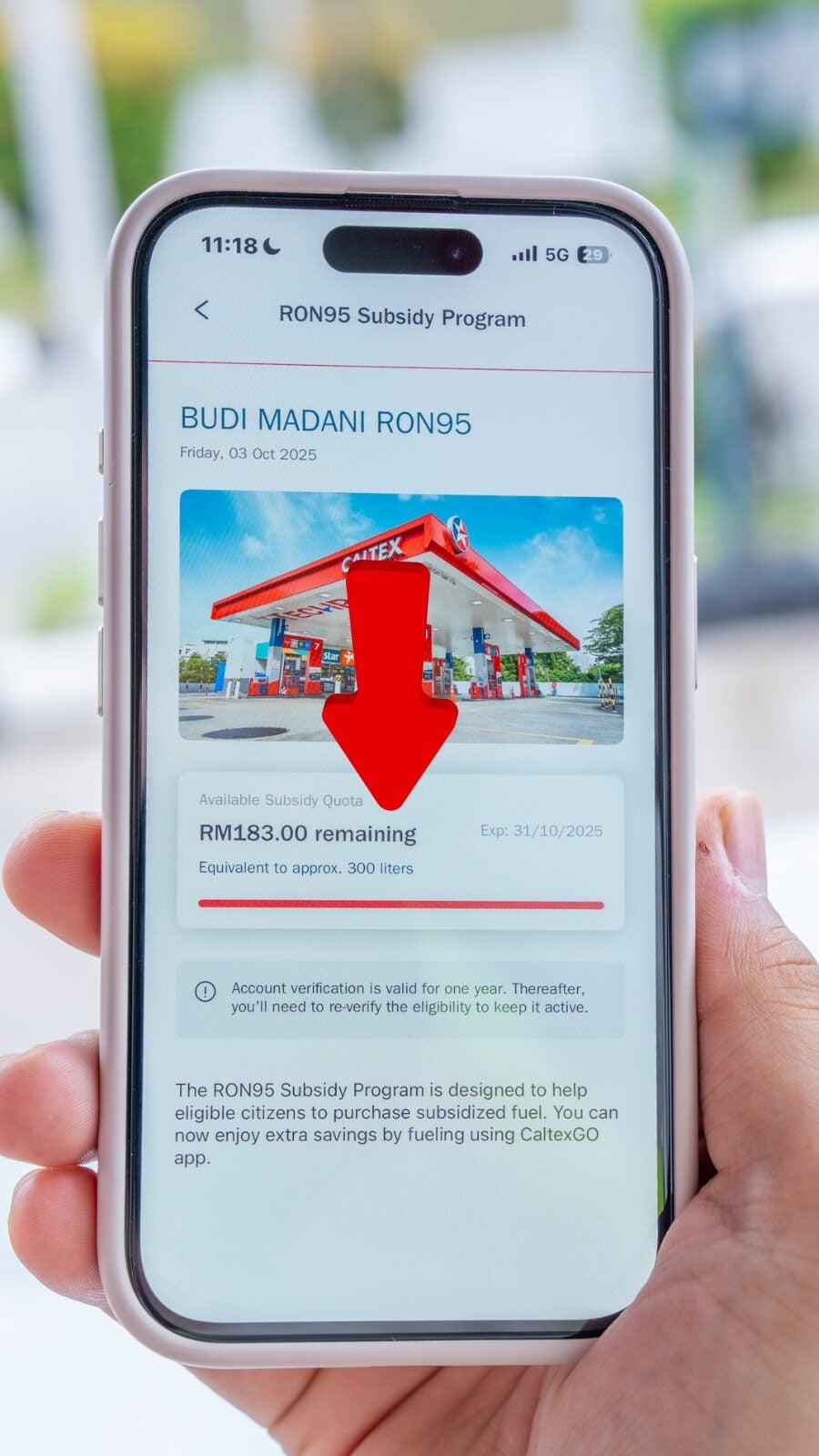
NOTE: To check your subsidy eligibility, click on ‘RON95 Subsidy Program’ on the CaltexGO app’s homepage. You can also track your remaining subsidy balance (in litres) through the app.
3. CONVENIENT: Easier payment, easier verification
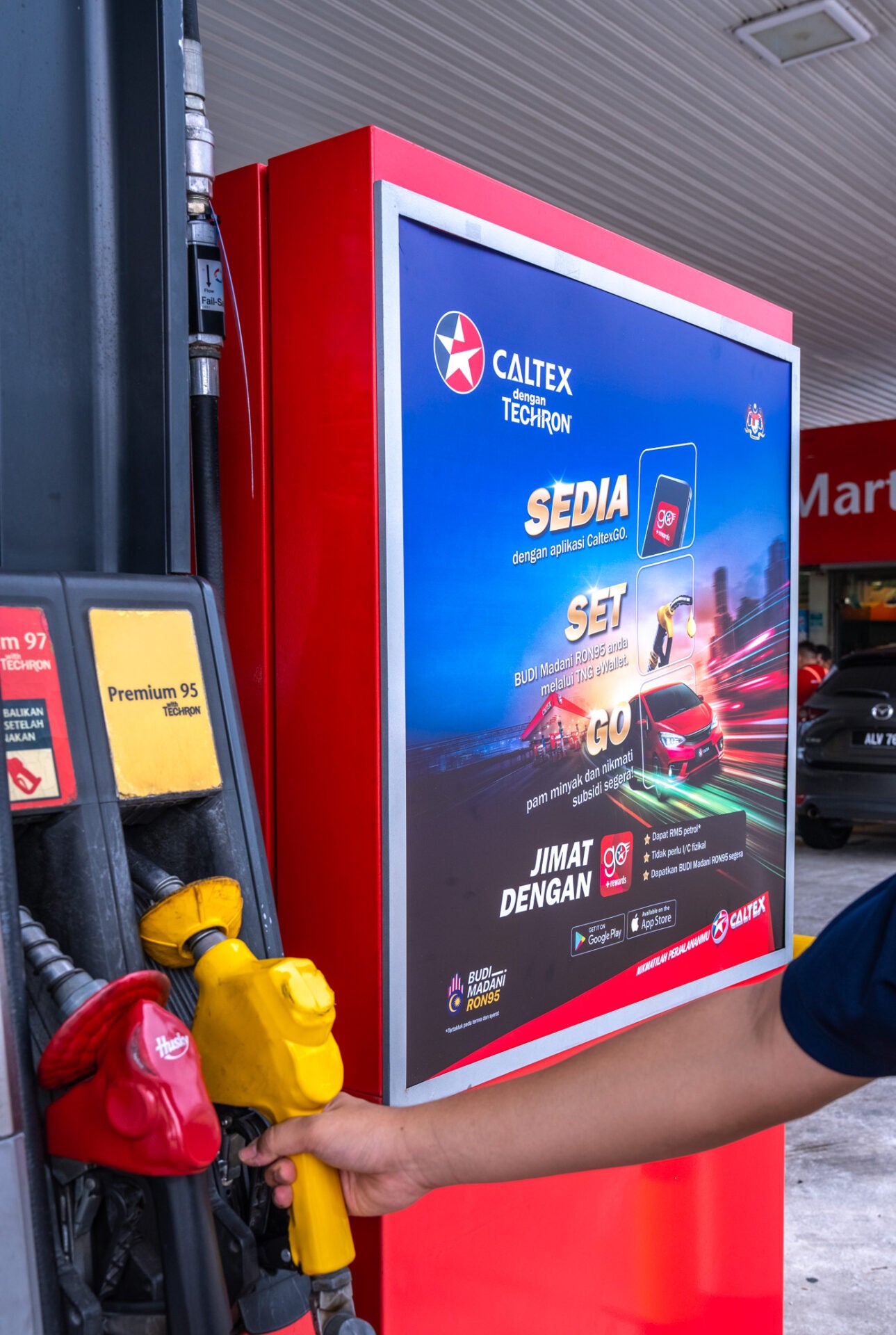
No need to get out of your car to make a payment or fish out your wallet! Whether you’re refuelling in a hurry, with children in the car, or simply during a rainstorm, you can complete your entire transaction comfortably from the driver’s seat. Plus, the verification process is fully digital, eliminating the need to carry or present a physical MyKad. With convenience being such a prominent feature of the app, you’ll find it particularly easy to get the BUDI MADANI RON95 subsidy with next to zero hassle using the CaltexGO app. Here’s how:
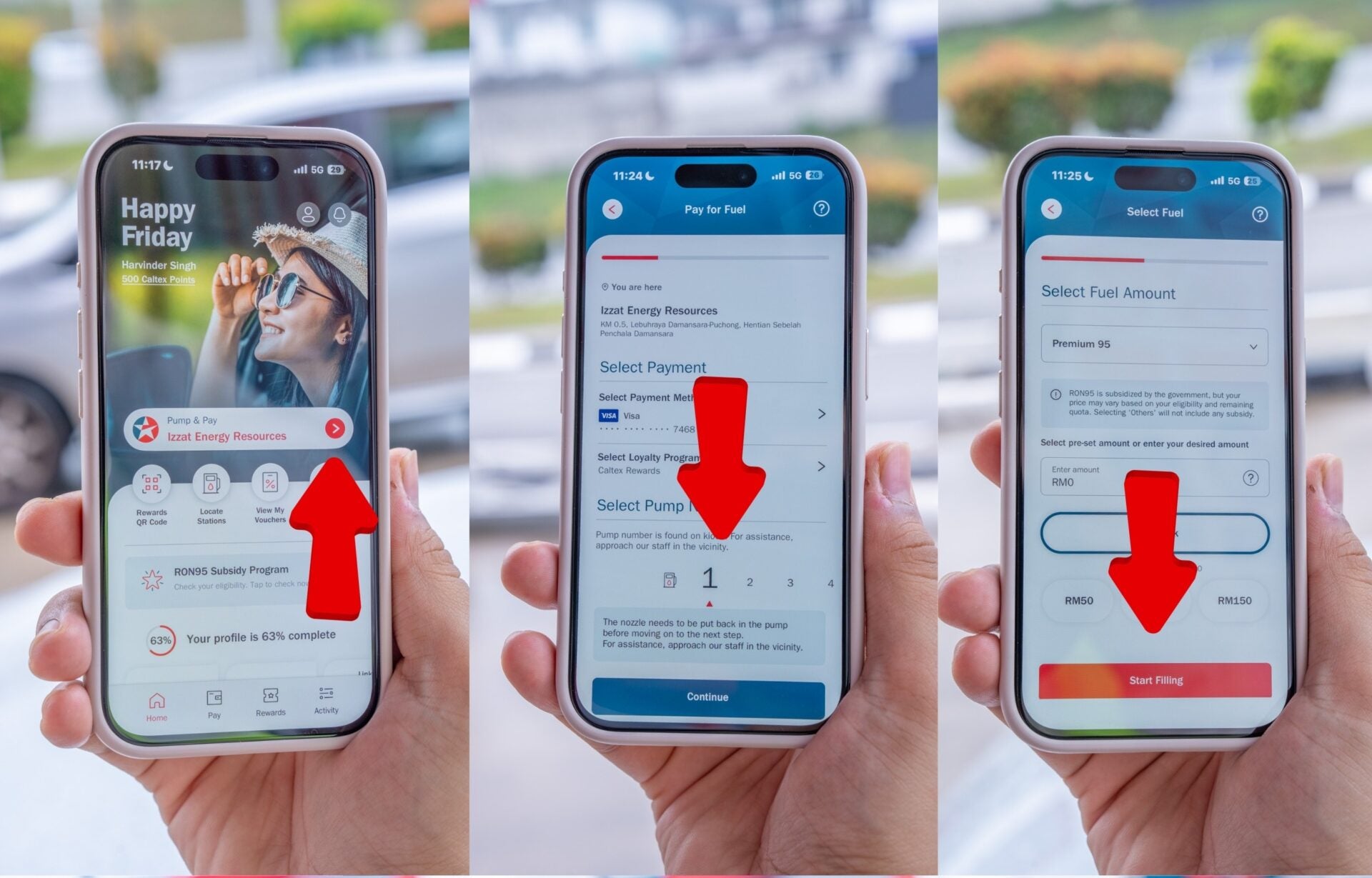
- Step 1: On the CaltexGO app homepage, click on the ‘Pump & Pay’ button.
- Step 2: Confirm the payment method, select the pump number, and click ‘Continue’.
- Step 3: Ensure Premium 95 is selected and input the desired amount to fill. Then, click ‘Start Filling’.
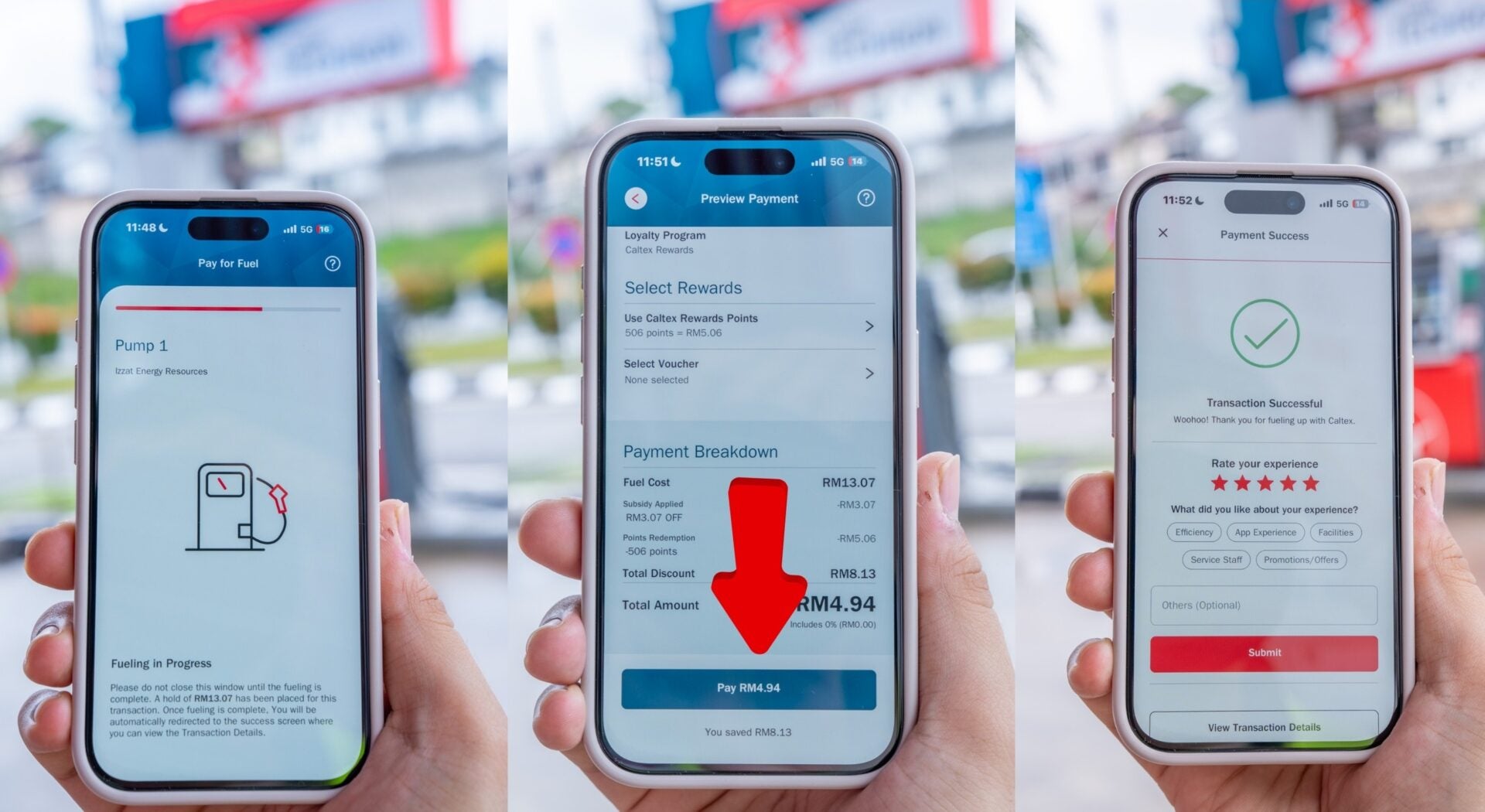
- Step 4: Lift the nozzle and fuel up. A ‘Fuelling in Progress’ will show while fuelling is in progress. Preauthorisation and subsidy amount will be applied here.
- Step 5: Once fuelling is completed, the Preview Payment screen will display ‘Subsidy Applied’. Click ‘Pay’ once everything is in order.
- Step 6: View your Transaction Details.
If you’re using a redemption perk or voucher, use the following alternate versions of Step 5 and onwards:
- Redemption:
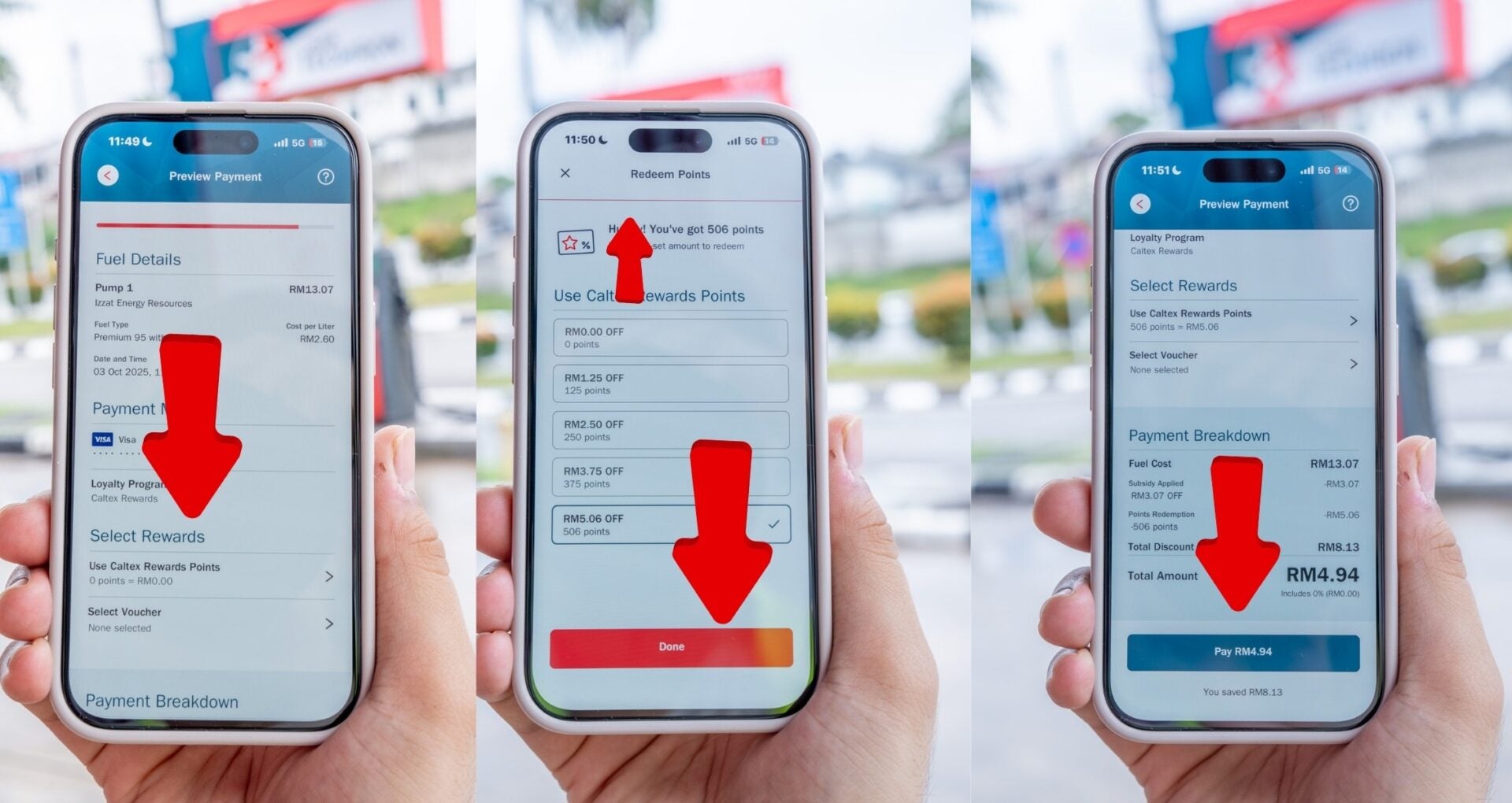
- Step 5a: For redemption, select ‘Use Caltex Rewards Points’.
- Step 6a: Select/Input the redemption amount and click ‘Done’.
- Step 7a: Click ‘Pay’.
- Voucher:
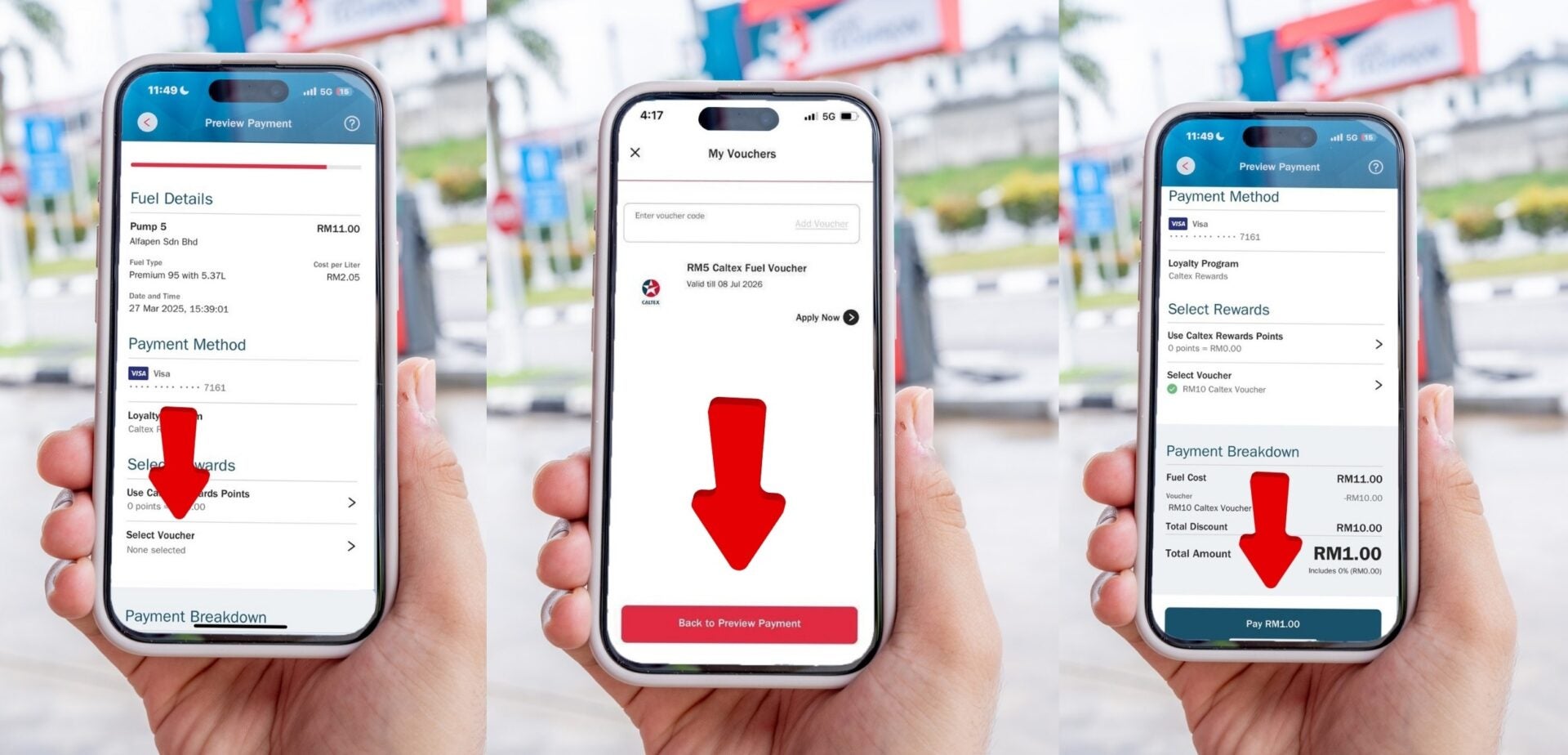
Caltex x wob collage – 3
- Step 5b: To apply fuel voucher, select Voucher and click ‘Apply’.
- Step 6b: Once the fuel voucher is applied, click ‘Pay’.
All in all, it’s all just smooth sailing when it comes to payment with the CaltexGO app!
But wait; there’s more!
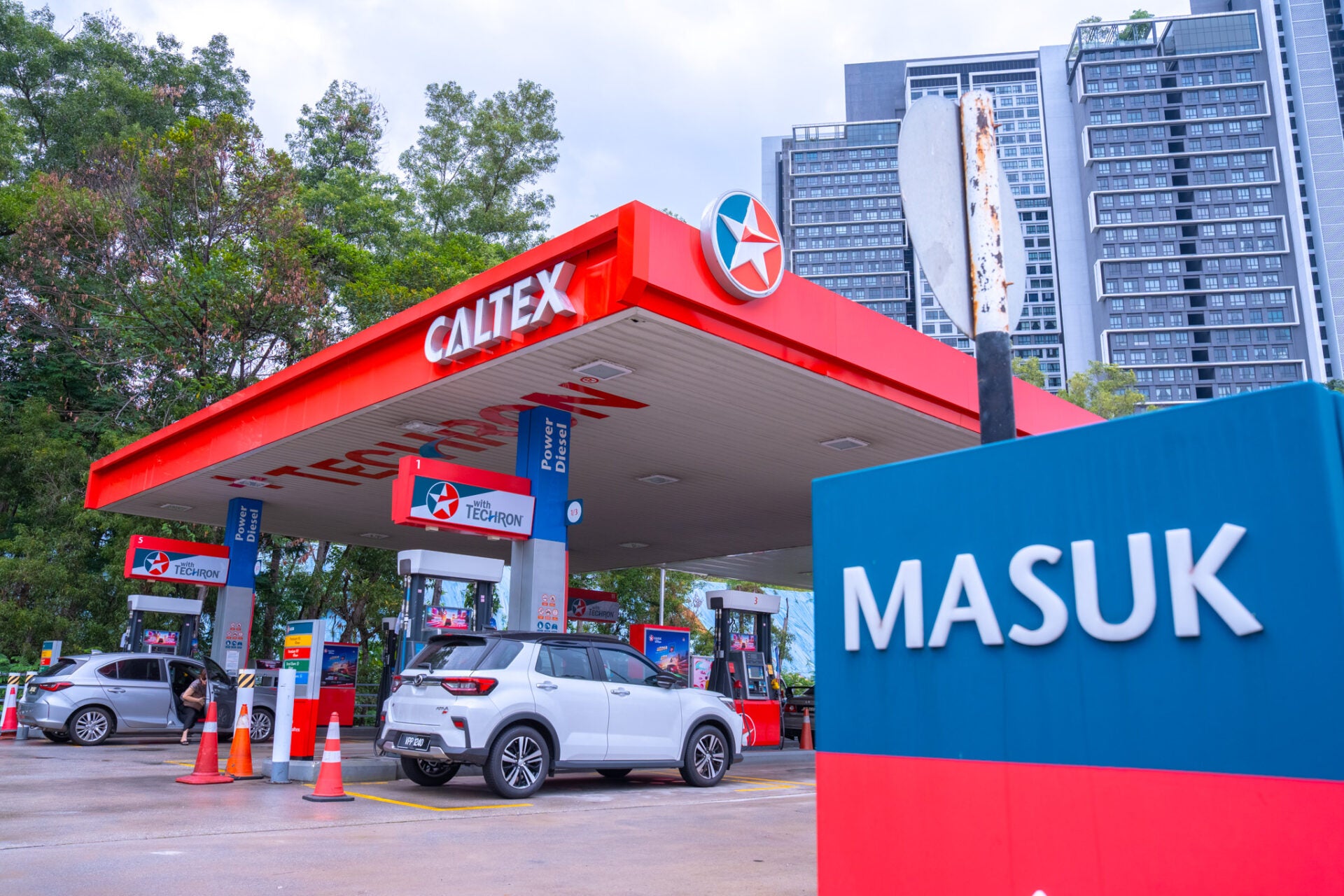
Beyond the main benefits, refuelling at Caltex with the CaltexGO app reaps you additional perks that enhance every transaction:
- Double points: You will never miss a reward with the double-points advantage, earning valuable loyalty points on a per-litre basis with every fill-up.
- Redeem points for fuel and partner vouchers: More points mean more chances to redeem fuel and vouchers applicable for Caltex partners, leading to even more savings!
- Credit card users can still get bank-exclusive rewards: Credit card users can continue to earn valuable bank-specific rewards points or cashback, ensuring they get the most value.
- Drive further with Caltex with Techron®: The innovative Caltex with Techron® delivers enhanced engine protection, maximised power, and improved fuel economy, giving you a better journey.
Don’t miss out — fuel up with the CaltexGO app today for smoother fuelling and driving!
Caltex is pulling out all the stops for a smoother fuelling experience with the CaltexGO app. Plus, with the BUDI MADANI RON95 subsidy being rolled out right now, there’s no better time to start using the app than today to reap these benefits! Download the CaltexGO app now:
For more information on the CaltexGO app and all things Caltex, visit their website and follow them on their socials:
*Terms and conditions apply.